Group Fund for Travel: How to Record "Collecting Money Upfront" Correctly

You know how it goes. Someone in the group chat says: "Everyone send me $200 before the trip. I'll handle all the bookings and we'll settle up at the end."
Sounds perfectly reasonable, right? But for the person collecting the money, that's where the headaches begin. Who paid? How much was the hotel? How much was dinner? Who gets money back and who still owes? It's a mess.
And to make things worse, a lot of people record this as "Income" in their splitting app, which throws off the entire calculation.
First Things First: What Is a Group Fund?
It's simple. Before the trip, everyone chips in some money to one person. That person handles the shared expenses along the way (hotel, transport, tickets, etc.), and at the end, you settle the difference.
If there's money left over, it goes back to everyone. If it wasn't enough, everyone chips in a bit more.
This isn't "Income" and it isn't an "Expense." It's a transfer of money from one person to another for safekeeping. So in Lightsplit, you record it as a "Transfer."
Common Mistake: Recording the Group Fund as "Income"
A lot of people instinctively tap "Income" to record the money they collected. But "Income" is for money the group earned together (like selling something or winning a prize). It's not for money moving between members.
Lightsplit actually warns you about this on the Income page:
Receiving money in advance from other members isn't "INCOME". Please record it as "TRANSFER".
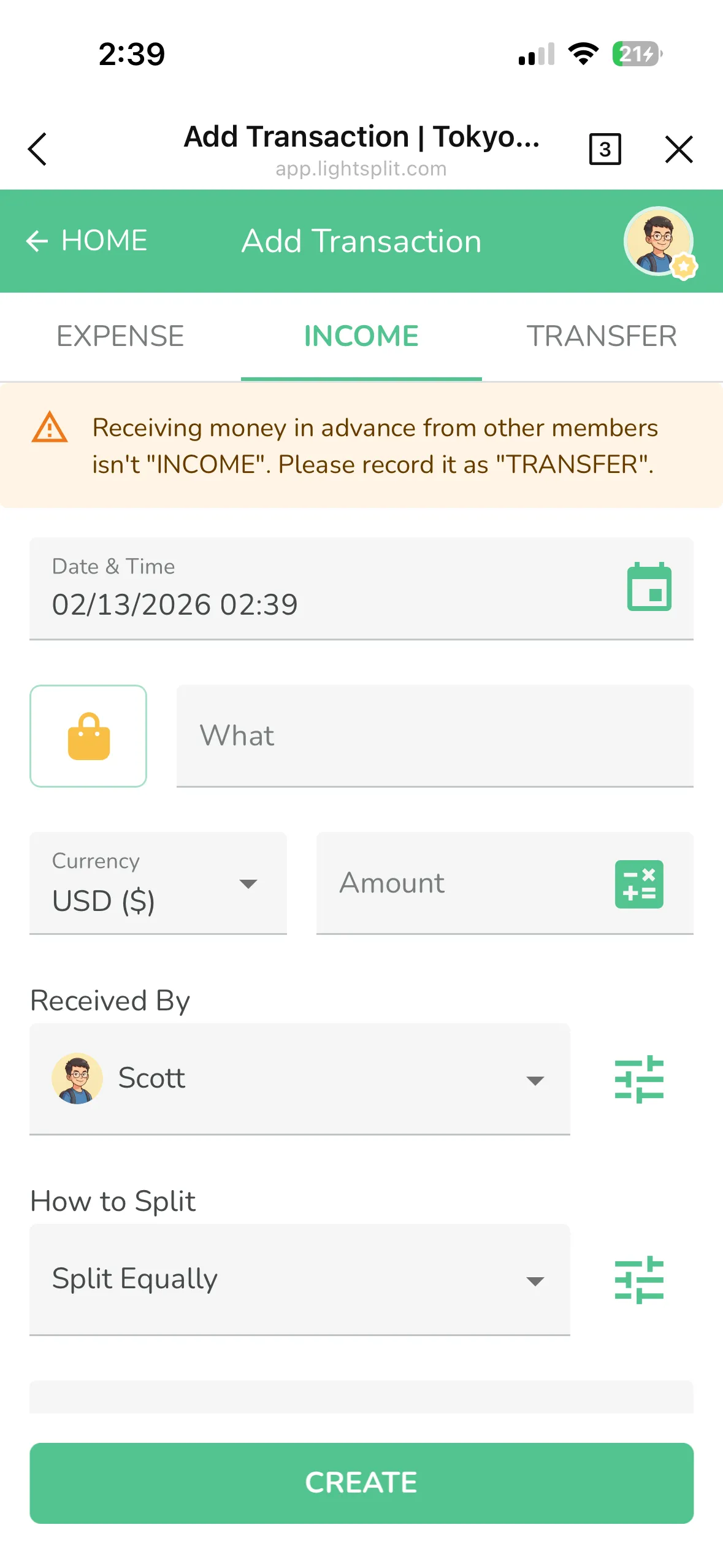
If you record it as income, Lightsplit treats it as shared group earnings and distributes it across everyone. The final settlement will be completely wrong.
The Right Way: Use "Transfer" to Record the Group Fund
Step 1: Tap "+", Then Select "Transfer"
Open your expense group and tap the "+" button in the bottom-right corner. Switch to the "Transfer" tab at the top.
Step 2: Fill in the Transfer Details
- Transfer From: The person sending money (e.g., Scott)
- Transfer To: The person holding the fund (e.g., Rama)
- Amount: How much was transferred
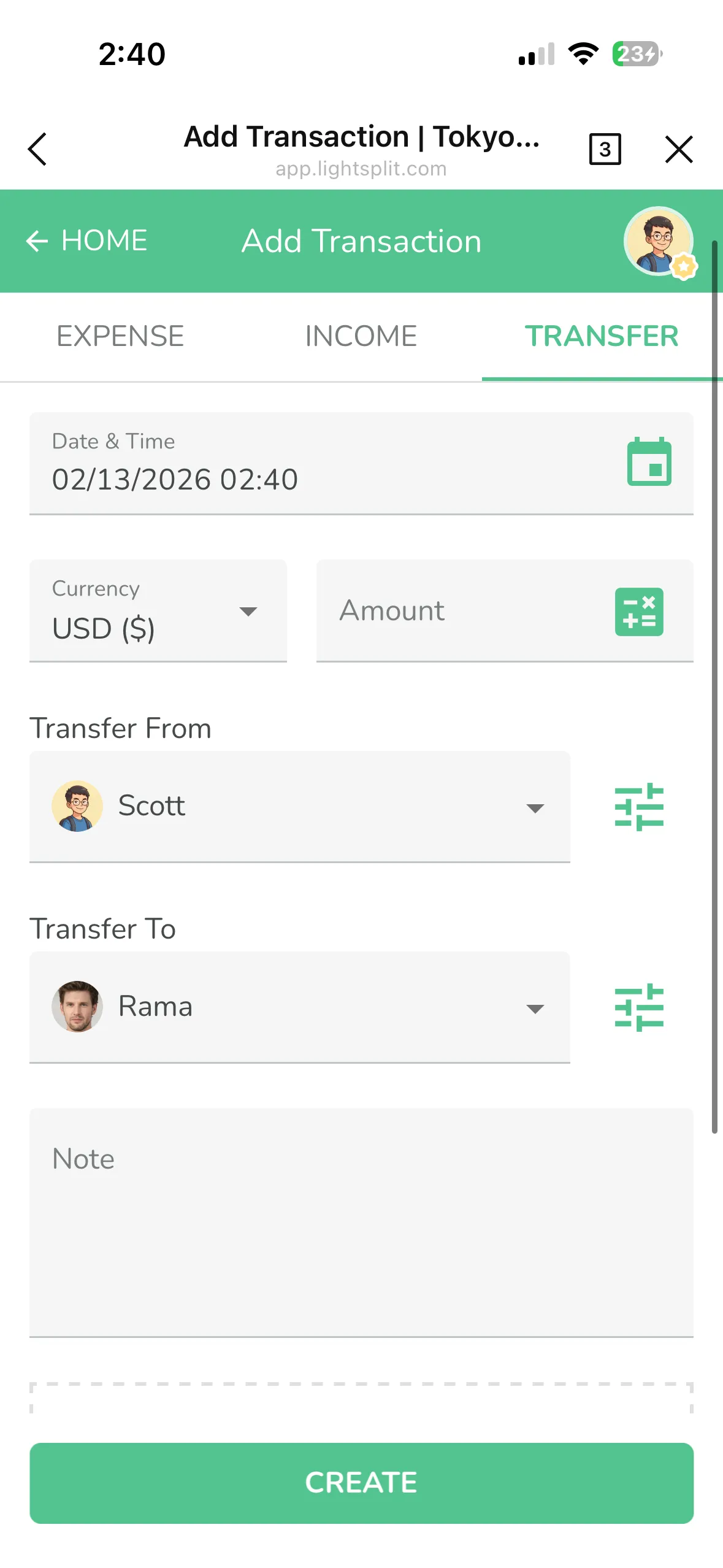
Step 3: Done!
Once the transfer is created, it shows up on the group home screen. Nice and clear.
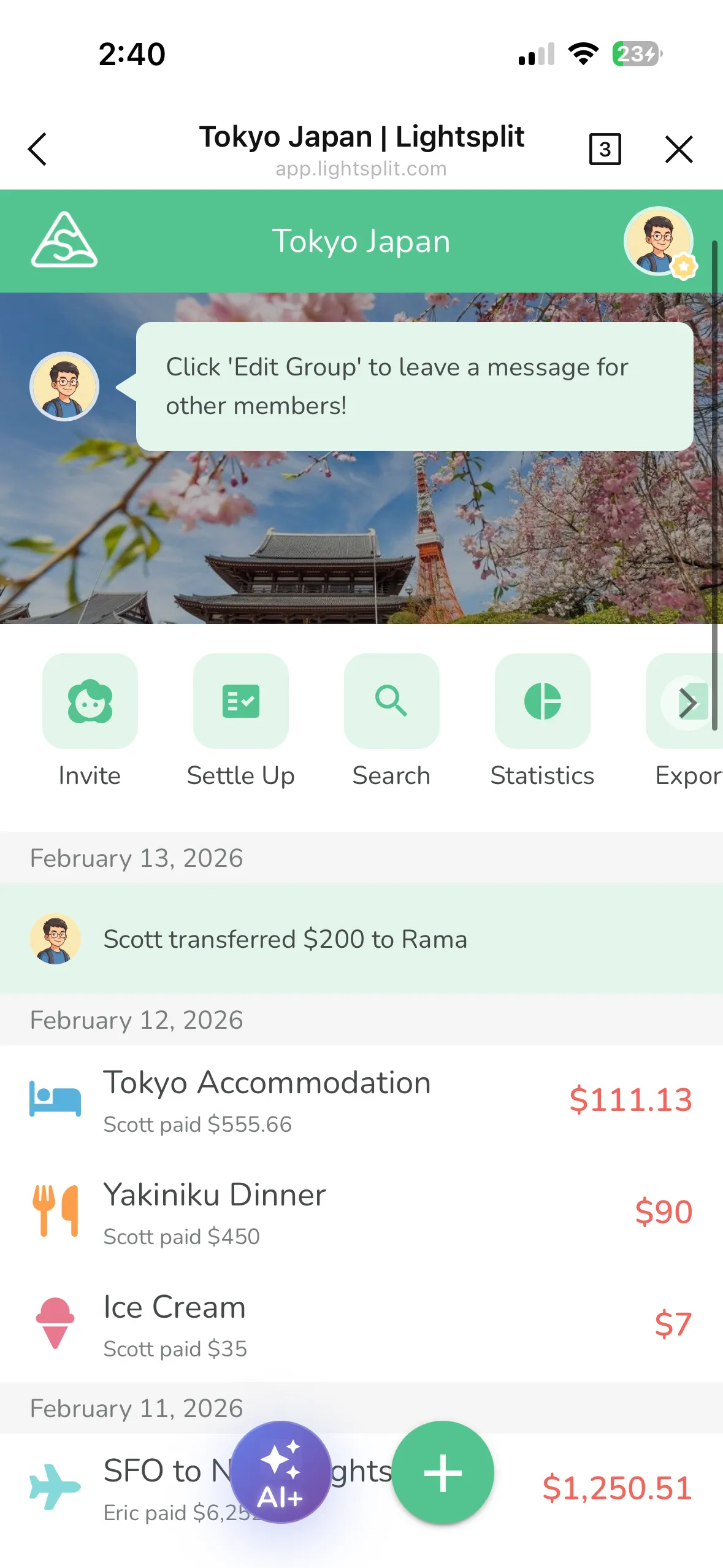
Have each member record their transfer, and the group fund is all set. From there, just record trip expenses as regular "Expenses" like you normally would.
How Does It All Get Settled?
This is where Lightsplit really shines. You don't have to do any math.
Lightsplit automatically factors in all the transfers and expenses together, then shows you in "Settle Up" exactly:
- Who still owes money (needs to pay more)
- Who gets money back (overpaid)
Everything is calculated automatically. No spreadsheets needed.
A Quick Example
Five friends going to Tokyo. Before the trip, everyone transfers $200 to Rama, who's handling the bookings:
- Each person records a "Transfer" to Rama for $200
- During the trip, Rama pays for the hotel, tickets, and group meals, recording each as an "Expense"
- Everyone else also records their own purchases
- After the trip, open "Settle Up" and instantly see who owes what
That's it. No more awkward group chat messages asking "did you pay me back yet?"
Give it a try on Lightsplit!