AI Smart Splitting: Snap a Receipt, Split Instantly
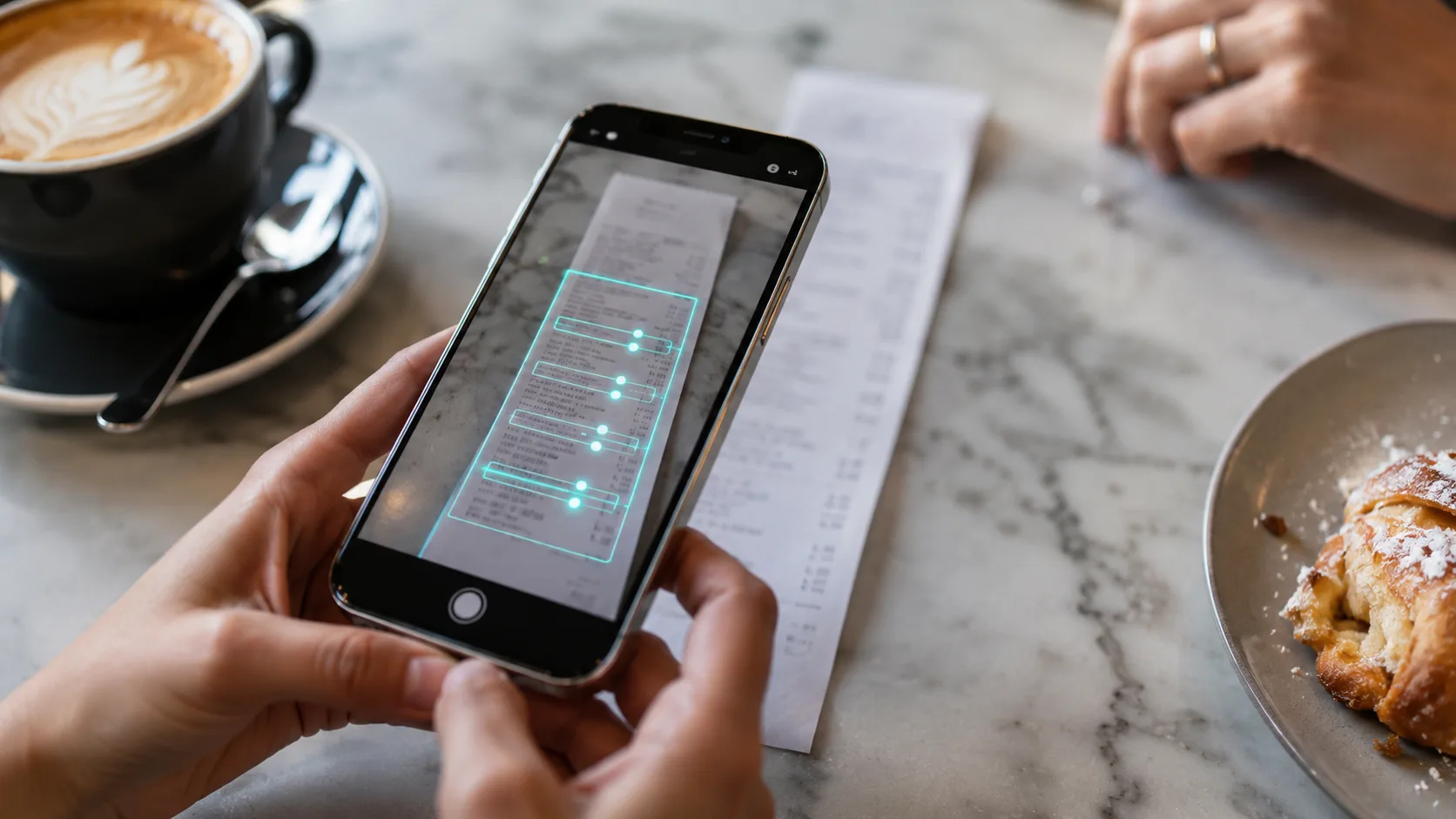
Traveling abroad is a blast, but dealing with receipts in a foreign language afterward? Not so much. Trying to figure out what each item on a Japanese receipt means, converting the currency, manually typing everything in... a single receipt can eat up several minutes.
Good news! 🎉
Lightsplit now has an "AI Smart Splitting" feature! Just snap a photo of your receipt and upload it. The AI will automatically recognize every item, translate it into your language, and convert the currency for you. No more tedious manual entry.
How to Use AI Smart Splitting
The whole process is super simple. You can turn an entire receipt into split records in under a minute.
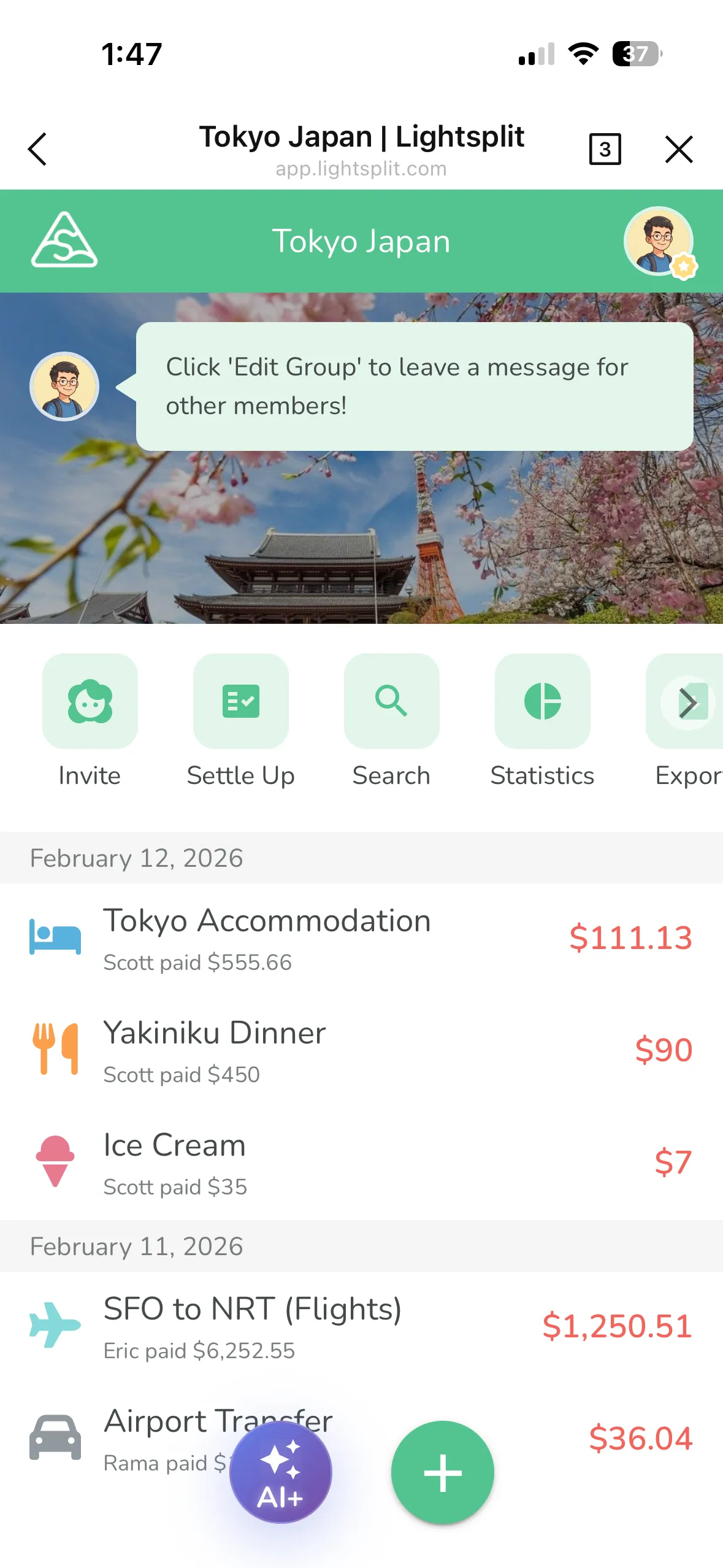
Step 1: Tap the "AI+" Button
Open your expense group. You'll see a purple "AI+" button in the bottom-right corner. Tap it to enter the AI Smart Splitting page.
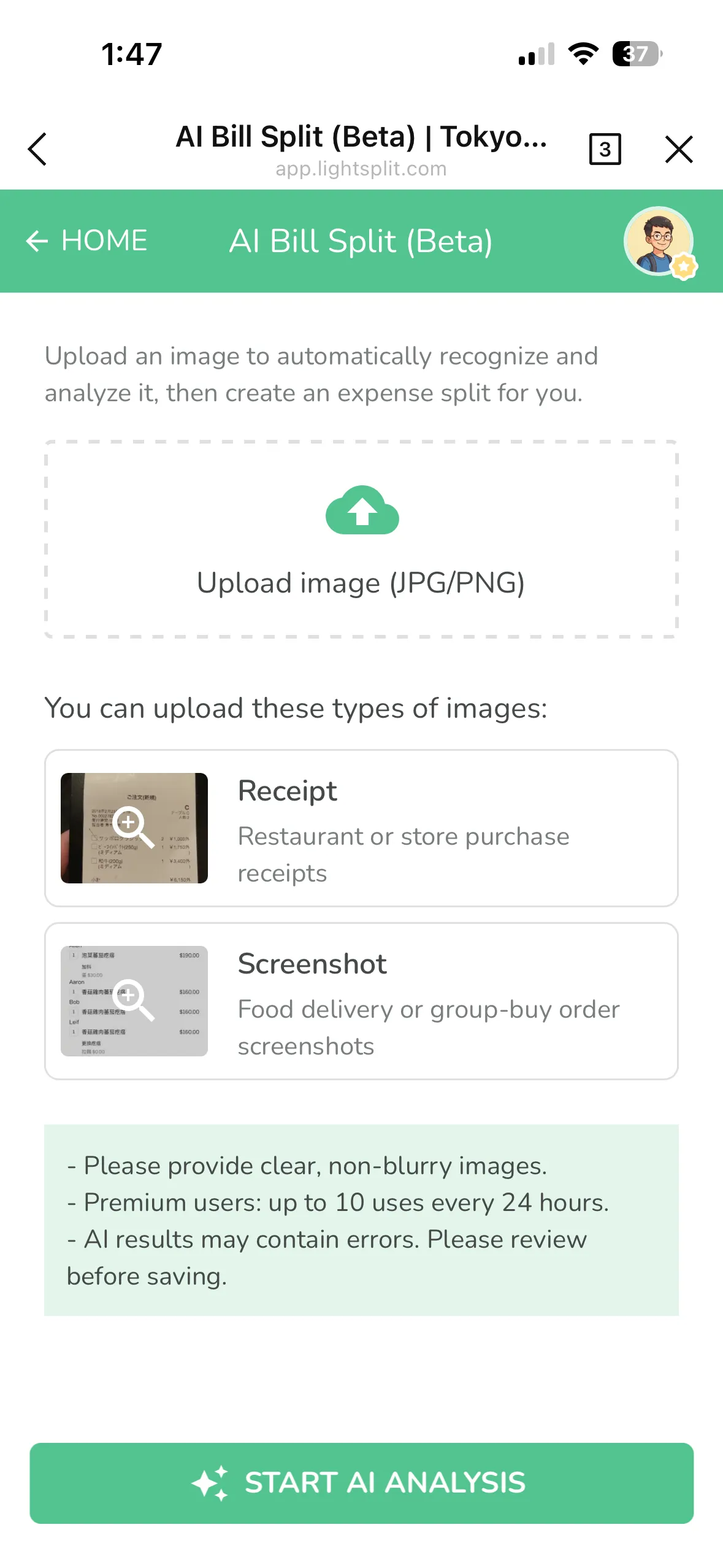
Step 2: Upload a Receipt Photo
You can upload two types of images:
- Paper receipts from restaurants, shops, or convenience stores
- Screenshots from food delivery orders, group purchases, or online receipts
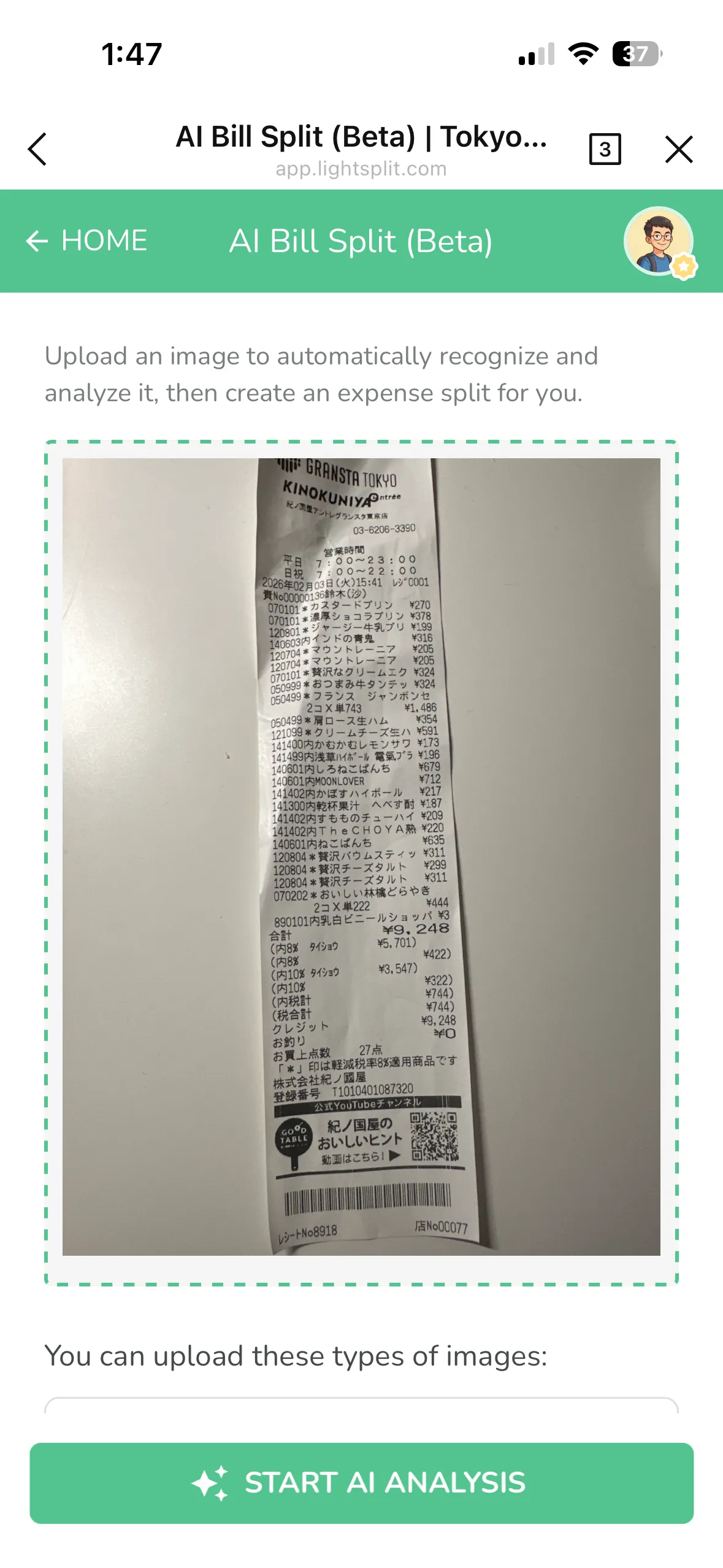
Pick your image and hit "Start AI Analysis". The AI will start processing. It usually takes under two minutes.
Step 3: Review and Create Expenses
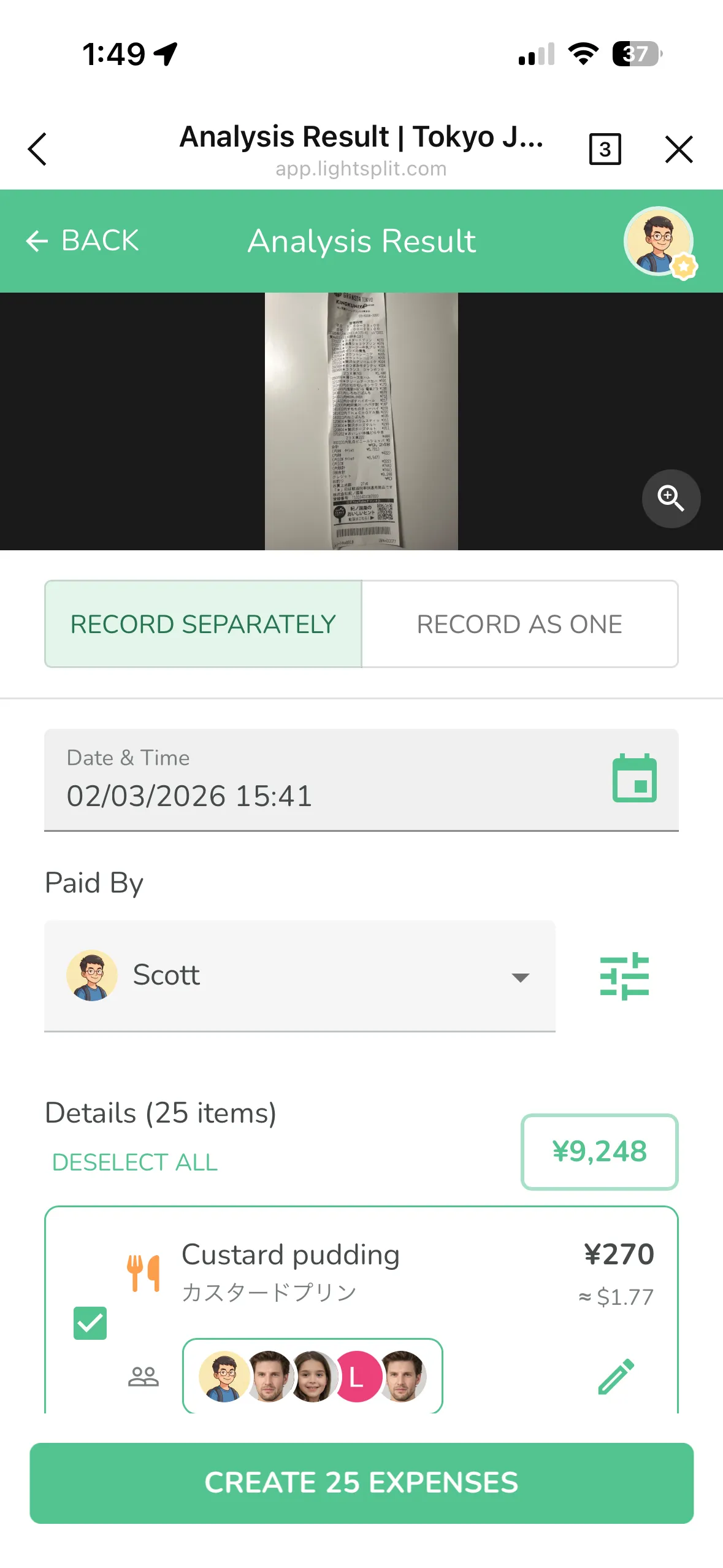
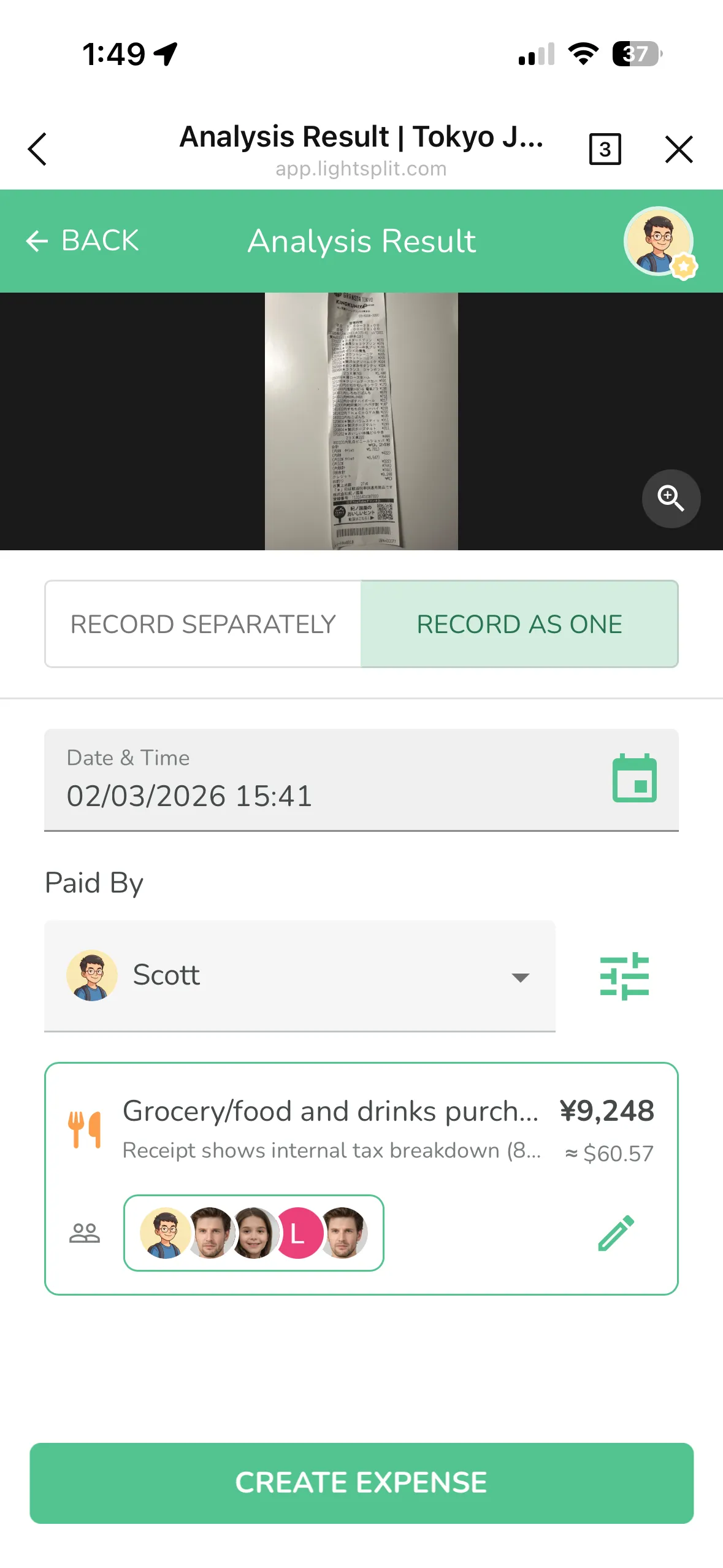
Once the AI finishes, you'll see two options:
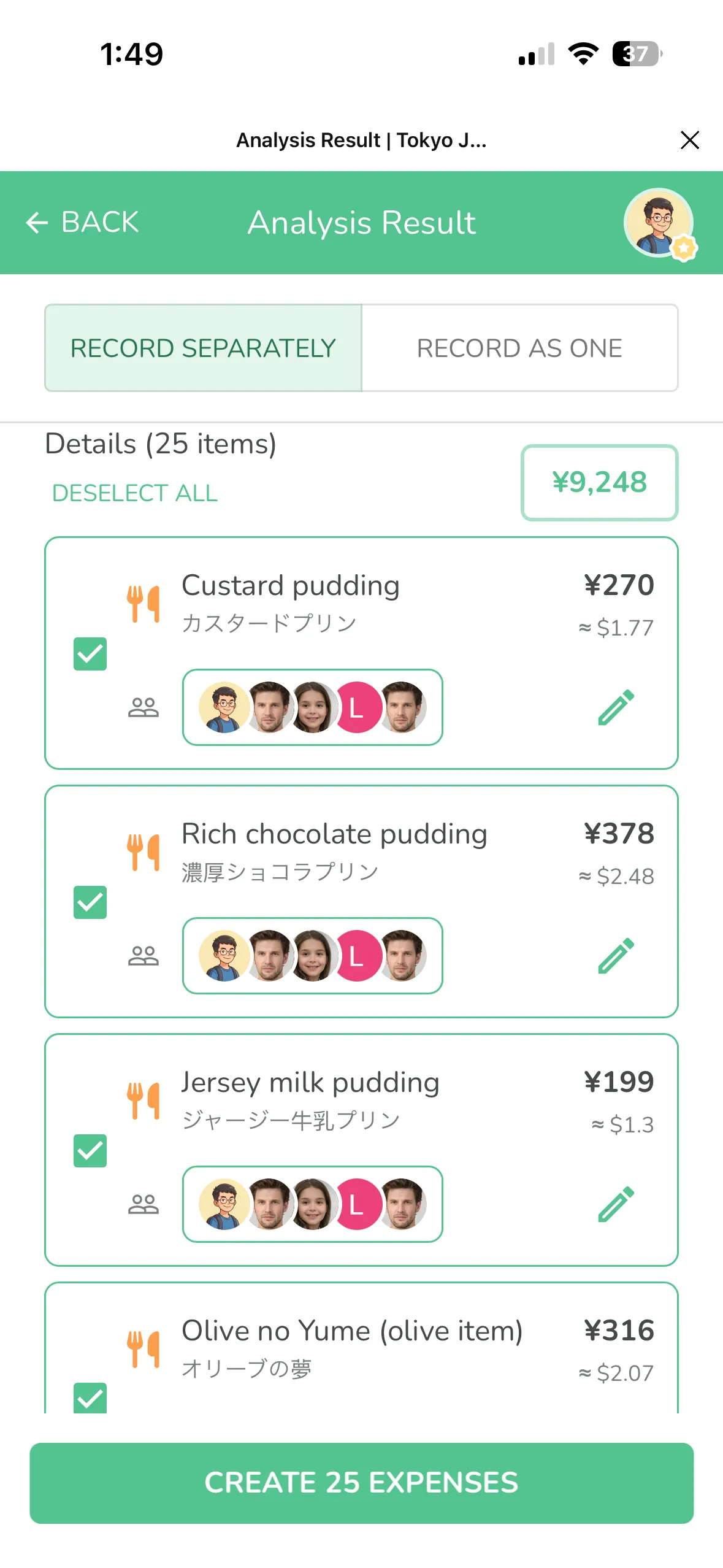
- Record Separately - Each item on the receipt becomes a separate expense. Great for when everyone ordered different things and you need precise splitting.
- Record as One - The entire receipt is combined into one expense. Perfect for when everyone just wants to split the total evenly.
Double-check the date, payer, and items. If everything looks good, tap "Create Expenses" and all the charges will be added to your group automatically!
Step 4: Done!
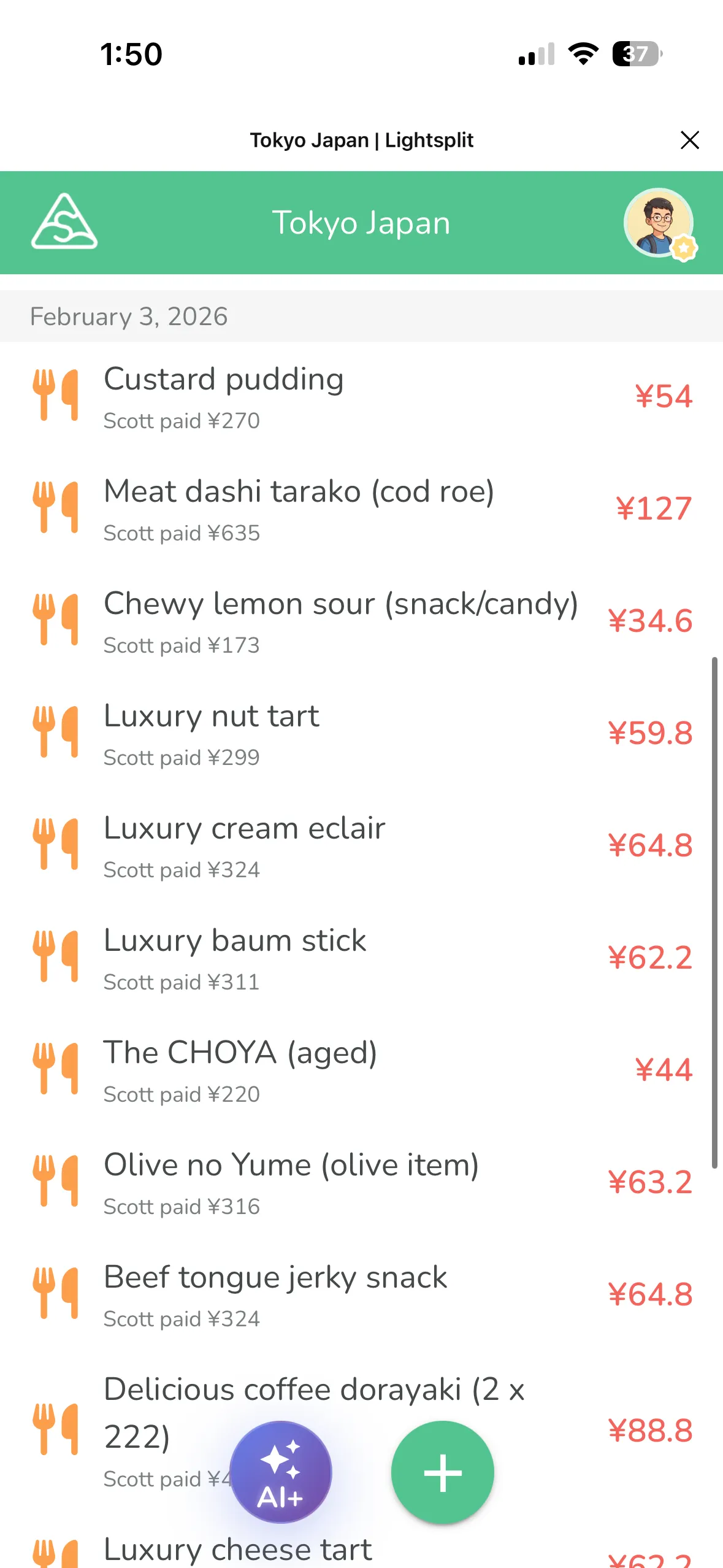
After the expenses are created, they'll show up in your group. Everything is neatly organized and ready to go.
What Makes AI Smart Splitting So Good?
Auto-Translates Foreign Items
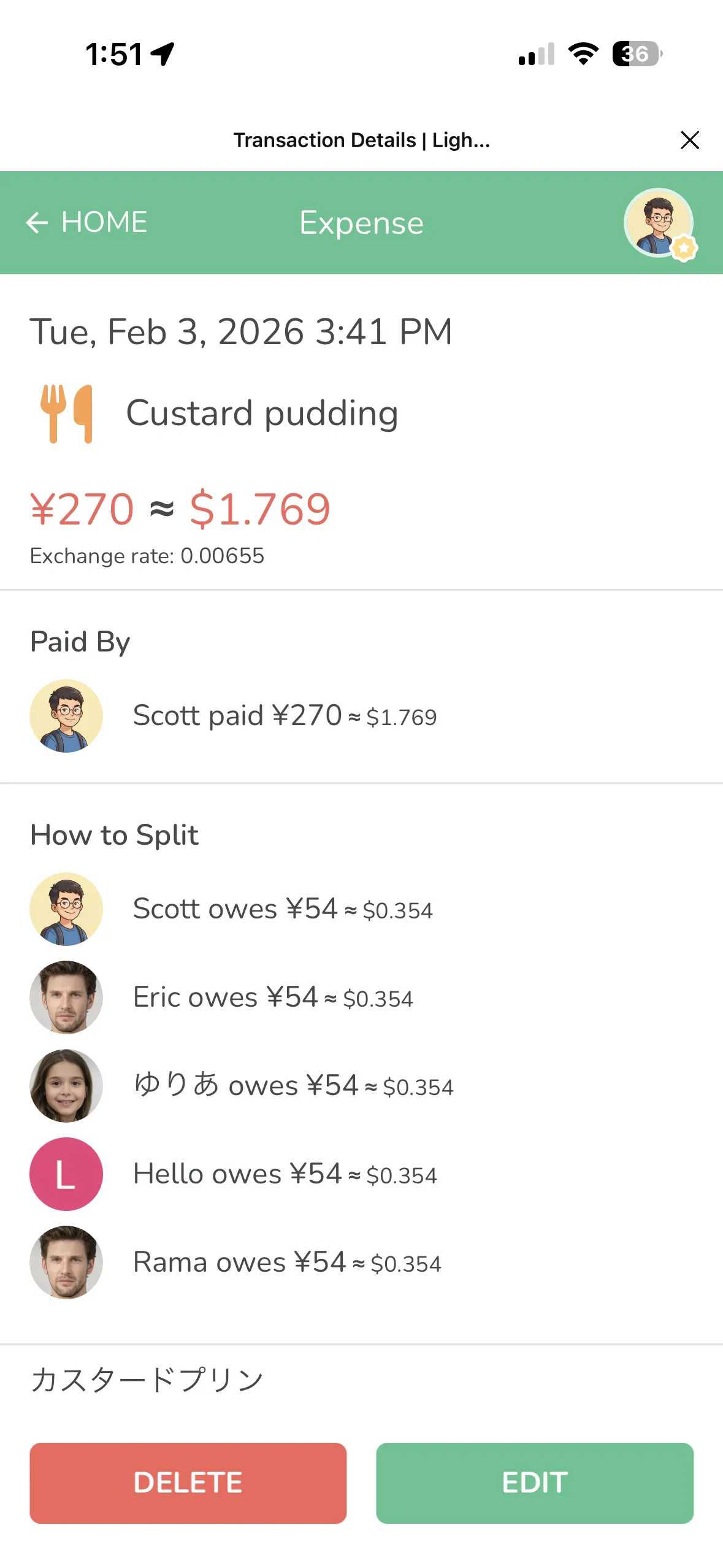
Can't read "カスタードプリン" on a Japanese receipt? No worries. The AI translates it to "Custard pudding" for you, while keeping the original text so you can double-check. It works with Japanese, Chinese, Thai, and pretty much any language.
Auto-Converts Currency
Receipt in yen, dollars, or baht? The AI detects the currency automatically and converts it to your local currency, so you can see exactly how much you spent at a glance.
Auto-Categorizes
Each item gets a category icon automatically, like dining, drinks, or transportation. Makes everything easy to scan.
Two Splitting Modes
"Record Separately" is perfect for precise splitting, like when everyone grabs different stuff at a convenience store. "Record as One" works great for group dinners where you just want to split the bill evenly.
A Few Things to Keep in Mind
- Upload clear, well-lit photos. Try to keep the receipt flat and straight when you snap the picture.
- AI results might not be 100% accurate, so give them a quick review before creating expenses.
- Works with both paper receipts and screenshots (like delivery app orders).
No More Receipt Headaches When Traveling
Next time you're traveling with friends, just snap a photo of the receipt and drop it into Lightsplit. A few seconds later, everything is split. No more squinting at foreign text or pulling out a calculator for currency conversion.
Give it a try on Lightsplit!