Lightsplit as a Personal Expense Tracker (and Family Budget App)

Paycheck hits your account, then by the end of the month you're staring at your balance going "wait, where did it all go?" Sound familiar?
A lot of people want to start tracking their spending. They download five, six different apps, then quit within a month. The interfaces are too complex, there are too many taps, and nobody wants to sort it all out on the last day of the month. It's a real problem.
But what if you're already using Lightsplit to split trips with friends? Good news: Lightsplit also works as a personal expense tracker. No need to install another app.
Wait, isn't Lightsplit just for splitting bills?
It is. But when you create a group, you don't just see options like "Trip" or "Roommates". There's an often-overlooked option right there: "Personal".
Pick "Personal" and Lightsplit creates a group only you can see. The description under the option says it plainly: "Track your own spending privately." Same interface as your usual splitting groups, so there's nothing new to learn.
3 steps to create your personal book
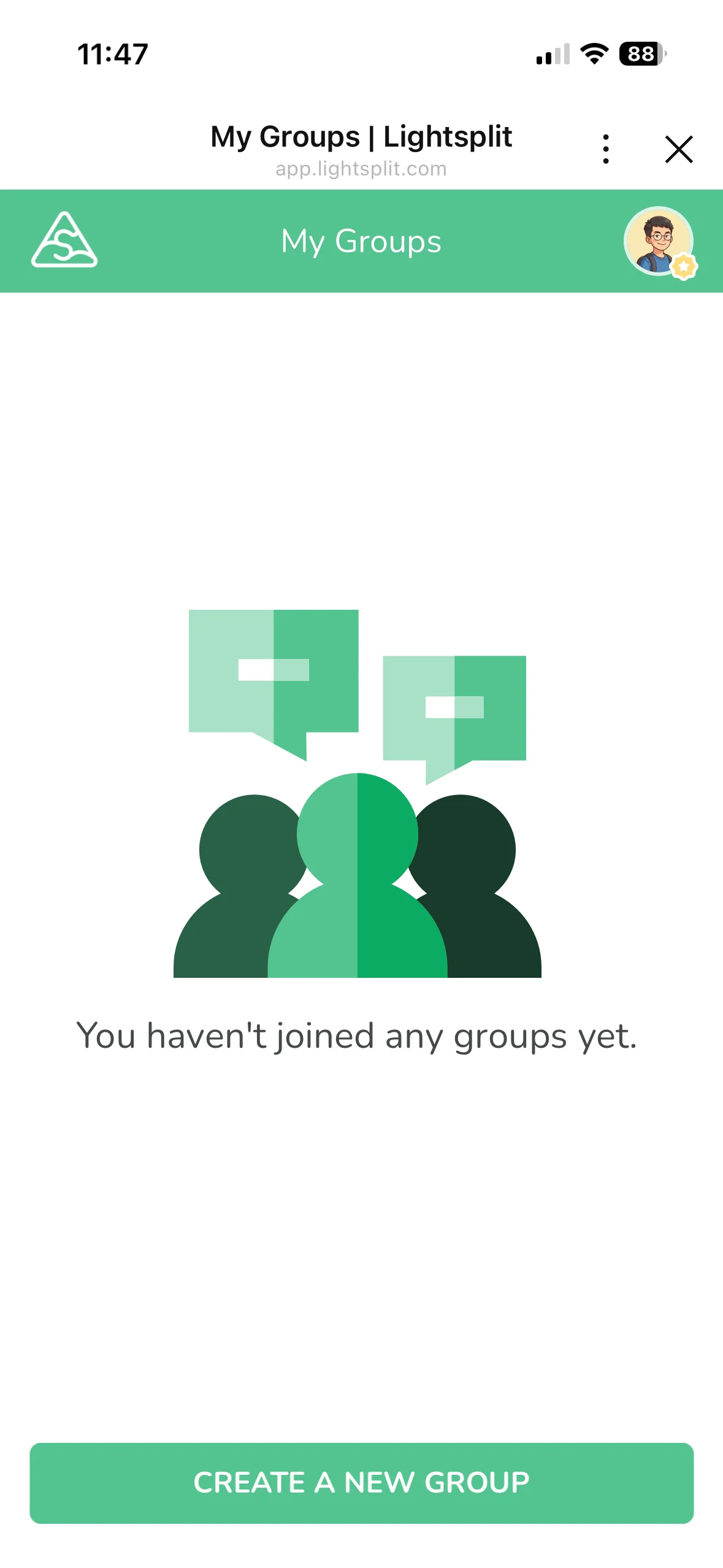
Step 1: Tap "Create a New Group"
Open Lightsplit and tap the "Create a New Group" button on the home page.
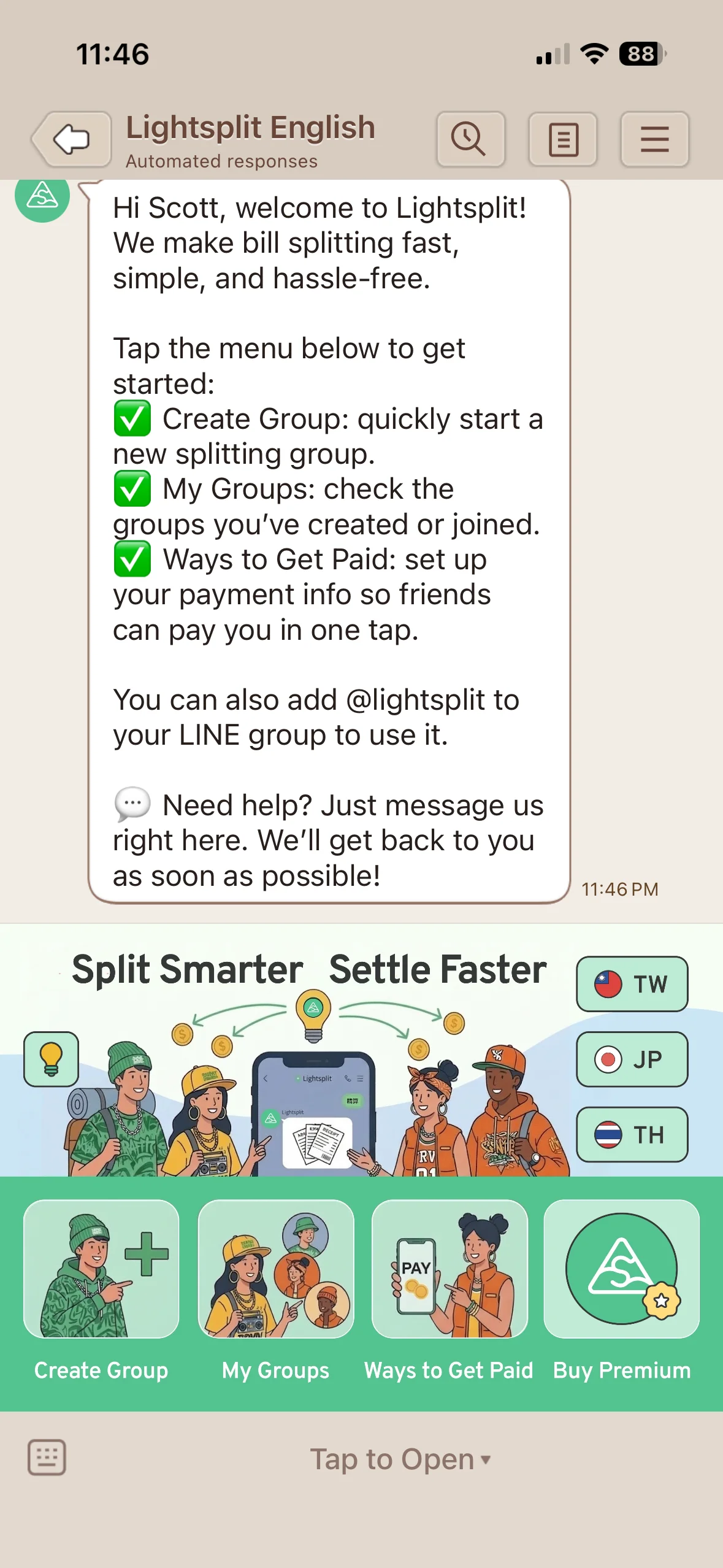
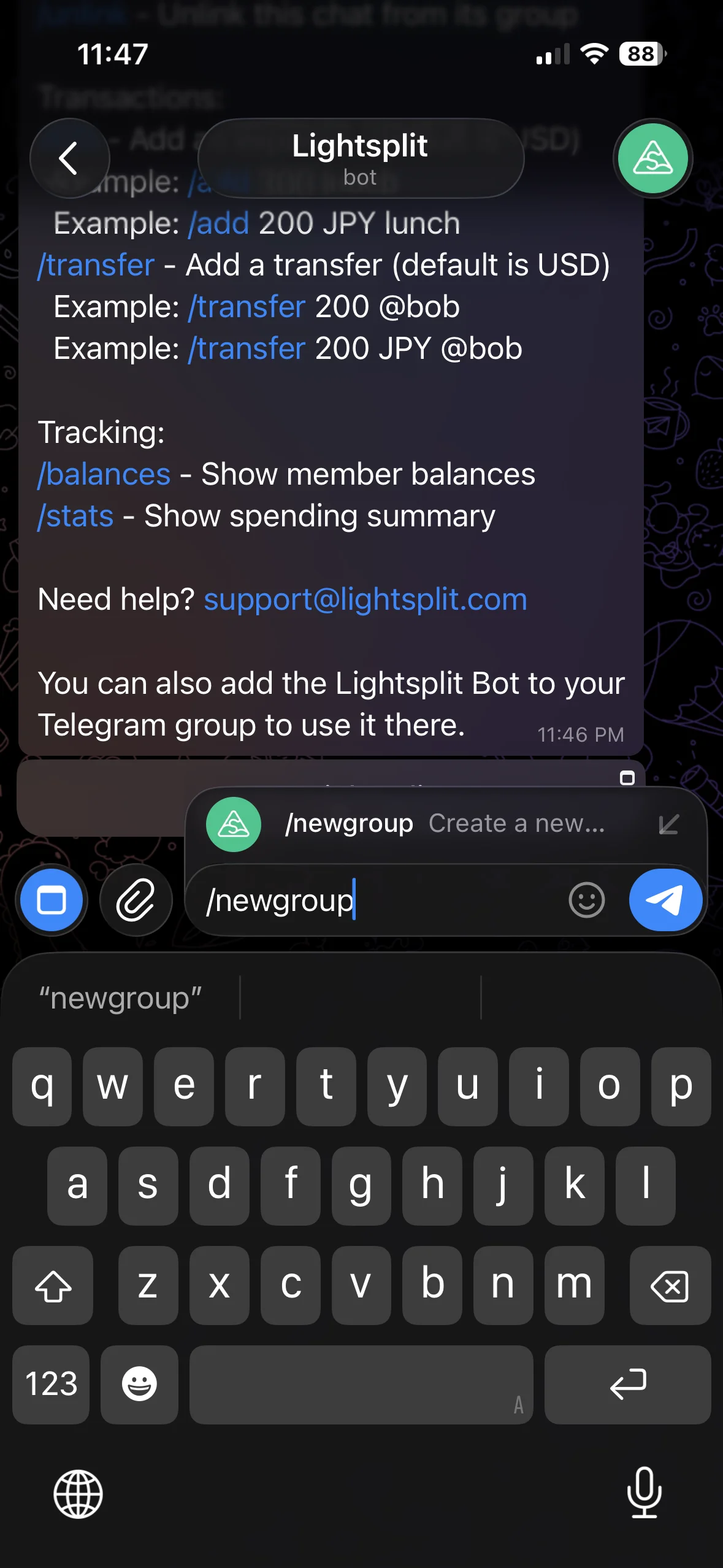
You can use Lightsplit on the web, through the LINE Bot (@lightsplit), the Telegram Bot (@lightsplit_bot), or the Discord Bot. We'll start by choosing the "Personal" group type on the web. The chat sections below explain how to get started on each platform.
Step 2: Pick "Personal" as the type
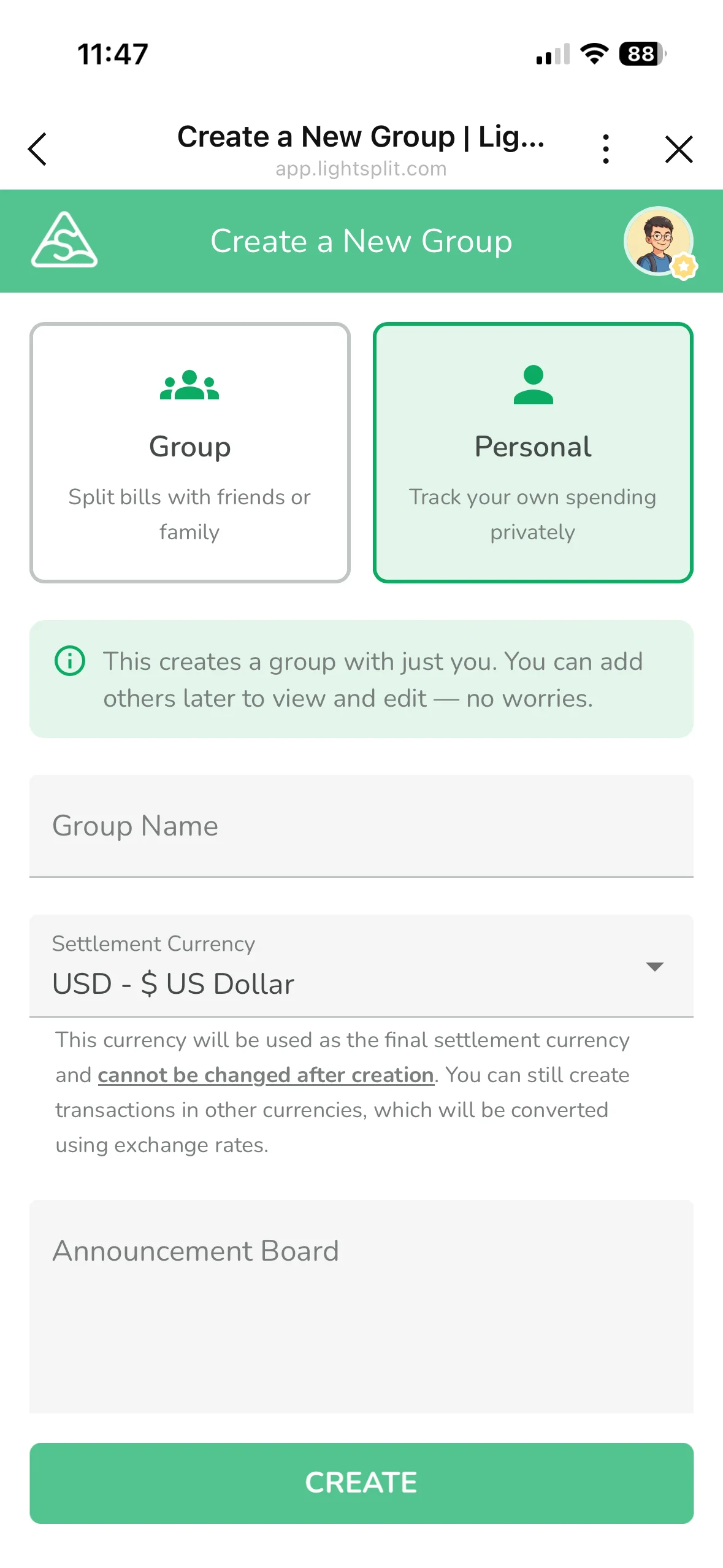
The group type screen lists options like Trip, Roommates, Couple, and more. Scroll down and you'll see "Personal". The subtitle tells you exactly what it does:
This creates a group with just you. You can add others later to view and edit, no worries.
In plain English: start solo today, invite your partner or family whenever you want. No migration needed.
Step 3: Done
Give the group a name ("My Budget", "2026 Spending", whatever works), hit create, and that's it. This is your private book. Only you can see it.
The 3 killer features for personal tracking
Just being able to log expenses isn't enough. These three features are what make Lightsplit actually pleasant to use as a personal expense tracker.
1. Statistics: see exactly where your money goes
When you log a transaction, pick a category (food, transport, entertainment, shopping, misc, you know the drill). The statistics screen will break things down for you by category.
Inside your group, tap "Statistics" at the bottom. Lightsplit charts your income and expenses: which category eats the most, your income-to-expense ratio, monthly trends. One screen, full picture.
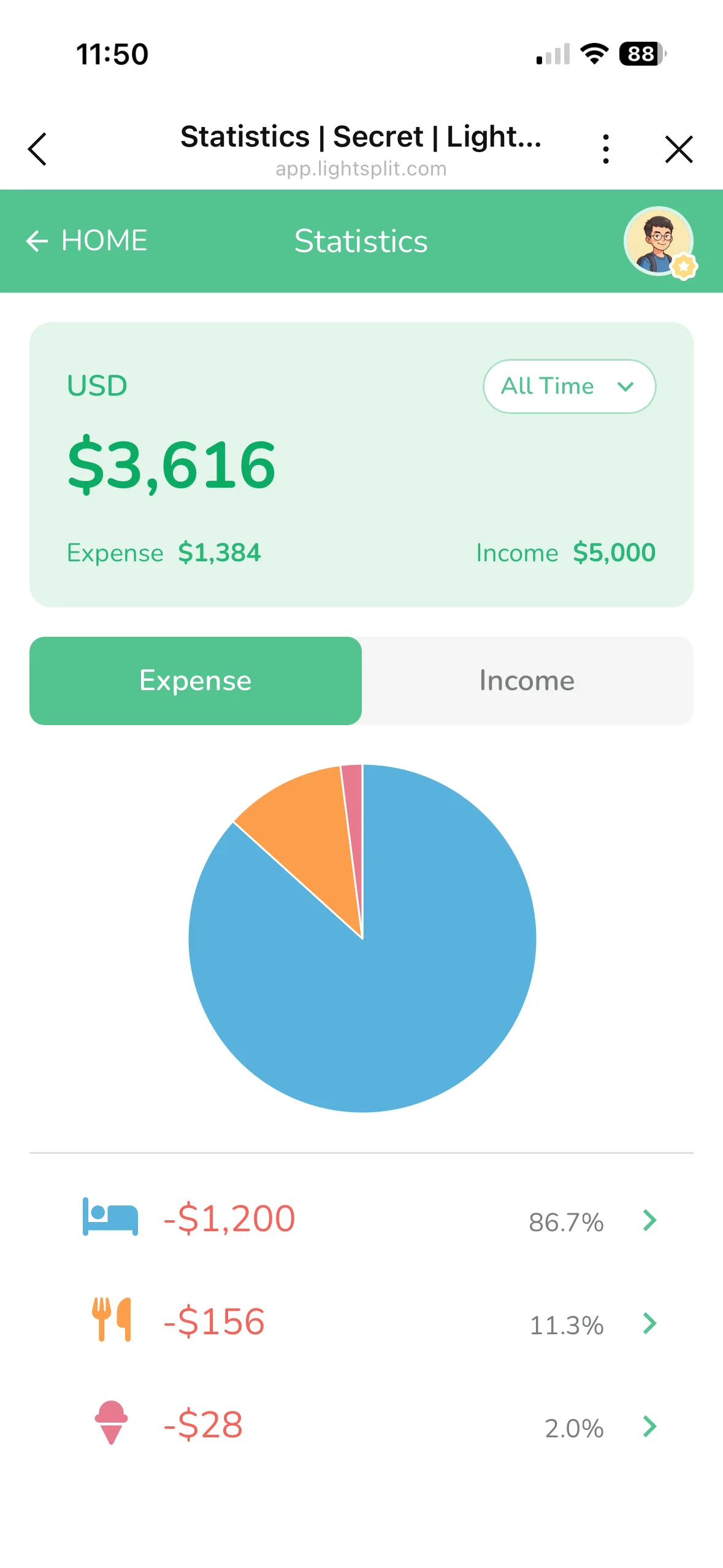
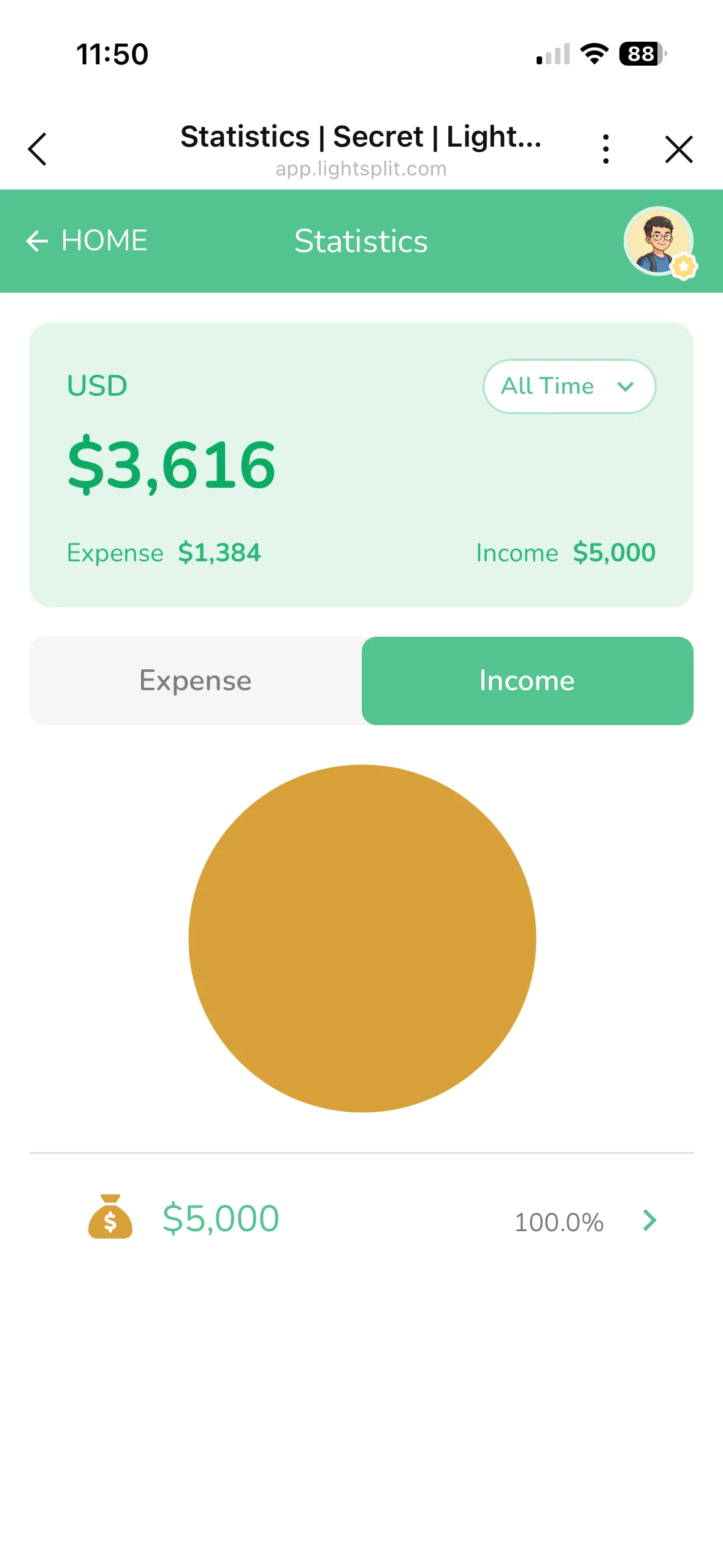
It's not just for expenses. You can log income too. Salary, side hustles, gifts, tax refunds, all of it. That turns your stats into a real income-vs-expense overview, not just a spending log.
2. Budget: set a ceiling for your monthly spending
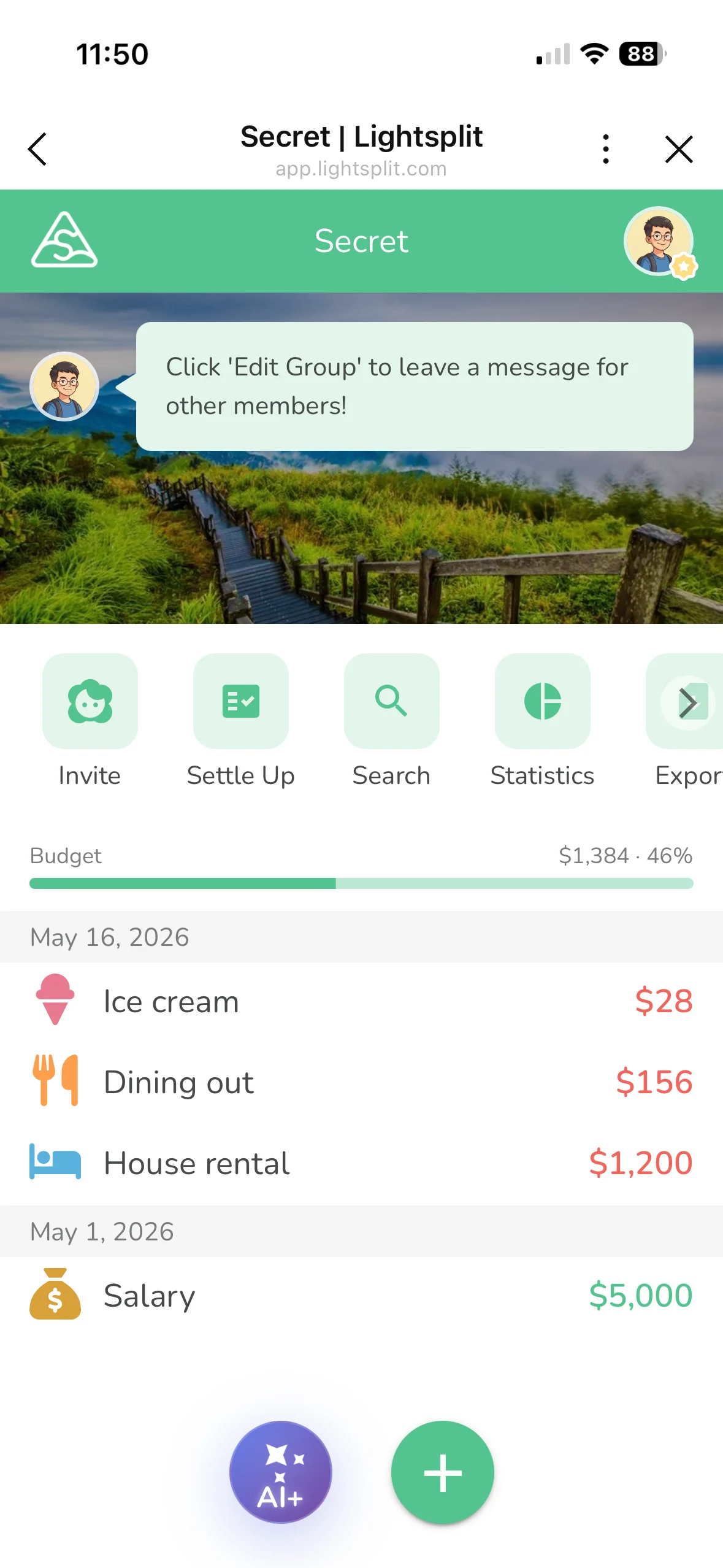
Lightsplit's newer "Budget" feature lets you set a monthly cap for yourself.
Open your group and tap "Budget". You'll see two sections:
- Group budget: for shared use across the group
- My personal budget: this is the one you want for personal tracking
Once you set it, a progress bar shows up on the main screen so you can see how much you have left this month at a glance. You'll notice the warning signs well before you overspend.
3. LINE, Telegram and Discord: log expenses in your chat
This one can change your tracking habits. Lightsplit works in LINE, Telegram and Discord. Pick the chat you use most, and keep your book in an app you already open every day.
Telegram: DM the bot
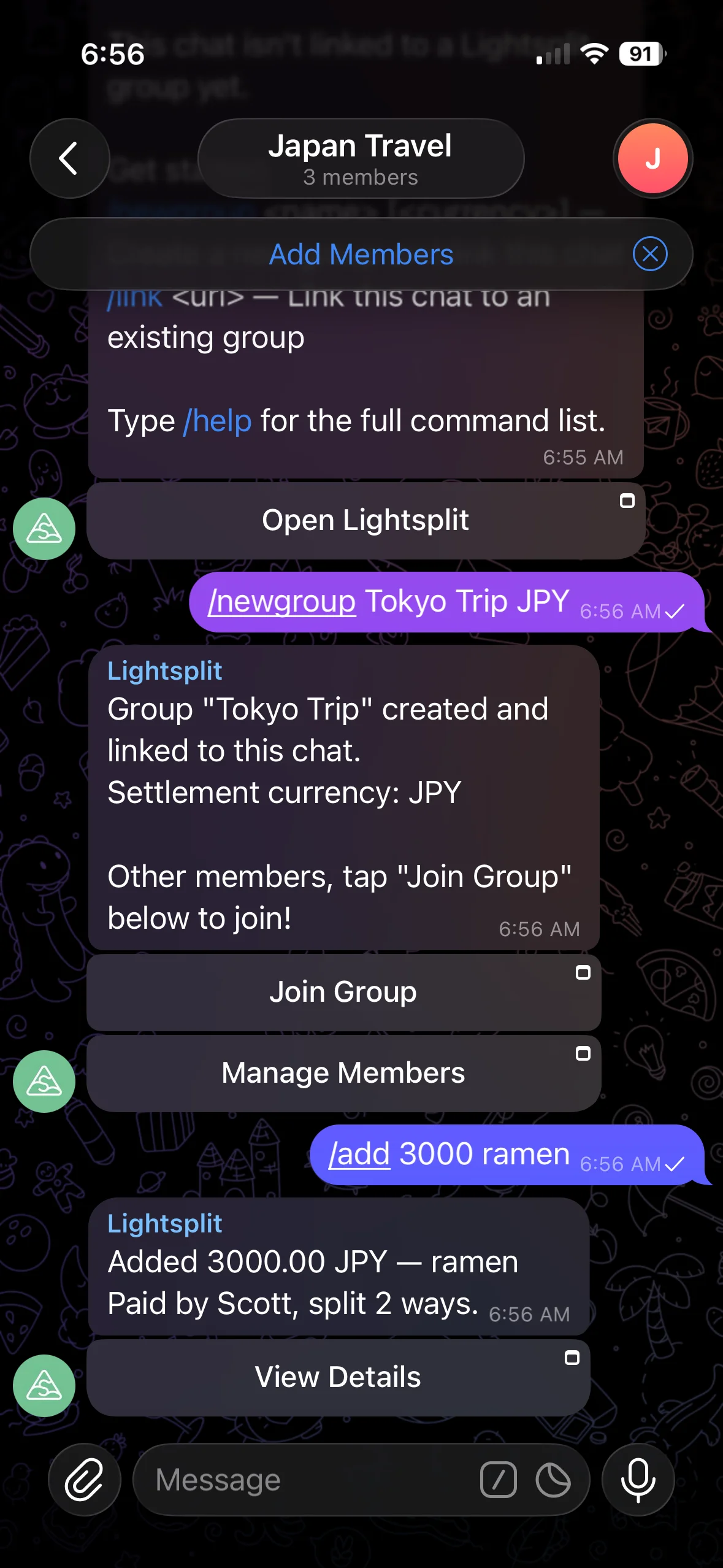
Open a chat with @lightsplit_bot. If you haven't created a group yet, just type /newgroup My Budget. If you already have one, link it with /link <group URL>.
Then logging is a one-liner:
/add 10 lunch
Want this month's stats?
/stats
LINE: solo group with the bot
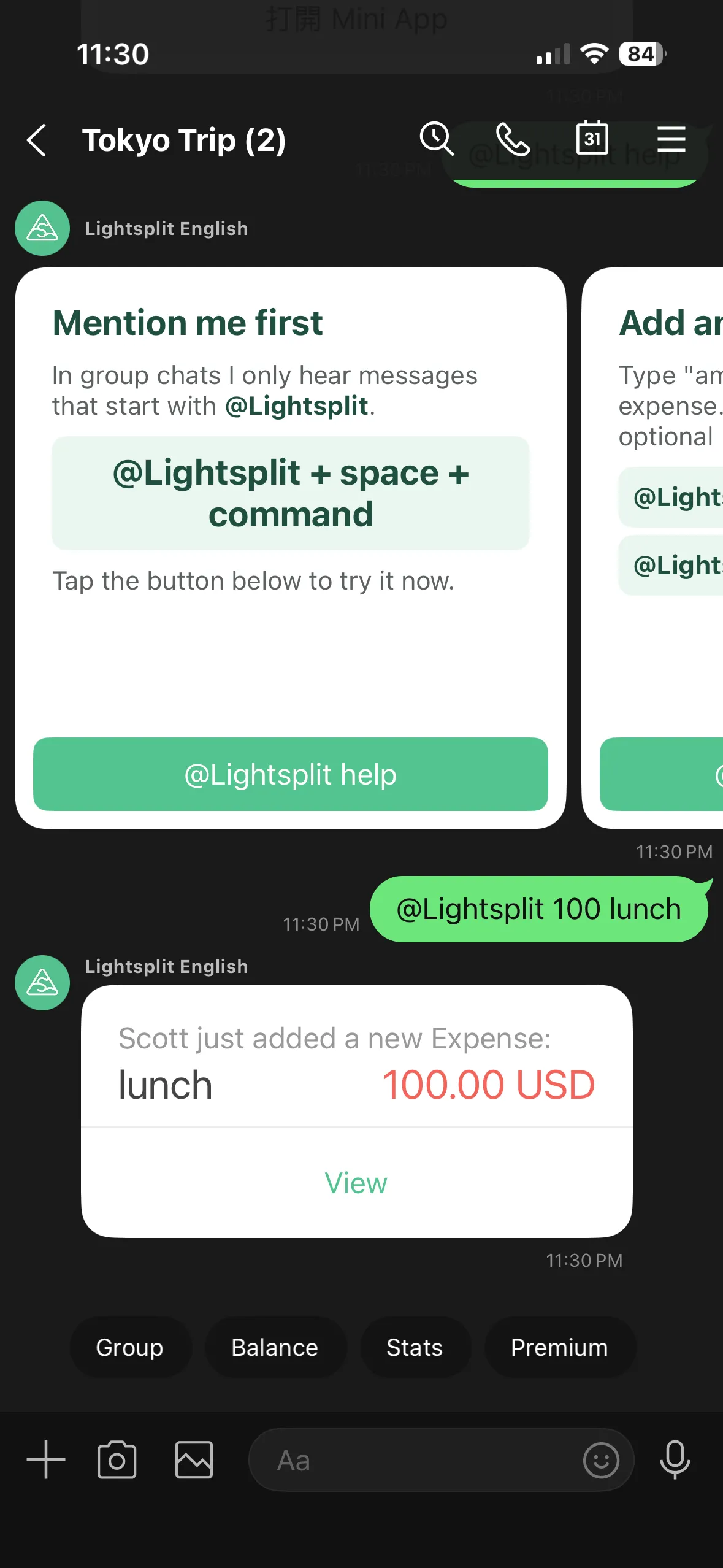
In LINE, create a group with just you, then invite @lightsplit into it. Log an expense by typing:
@Lightsplit 10 lunch
Want this month's stats?
@Lightsplit stats
Discord: use a private server
First, add Lightsplit to Discord and choose a private server that only you use. In a text channel, select /group create, enter a name and currency, and set members to 1:
/group create name:My expenses currency:USD members:1
This creates a new book linked to that channel. To log an expense, select /add expense and fill in amount and what:
/add expense amount:10 what:lunch
Select /stats to check your spending. See the Discord bot guide for the full setup and command walkthrough.
The LINE, Telegram and Discord bots reply to confirm each entry. Then you can get back to your conversation.
Why is chat-bot tracking so handy? You're already in these apps every day. You can log that coffee before you forget about it.
More features that make personal tracking nicer
Beyond the big three, a few smaller touches you'll appreciate:
- AI receipt scanning: snap a photo and the AI fills in the amount, merchant, and date for you
- Multi-currency: traveling solo? Mix in JPY and USD entries, and they auto-convert back to your home currency at month end
- Built-in categories: food, transport, entertainment, shopping, all preset, just tap one
- Custom cover image: give your book a cover you actually like seeing
- Cross-device sync: phone, tablet, desktop, same data everywhere
Upgrade to family tracking? Just invite them in
This is the sneaky upside of picking the "Personal" type: when you want to share with your partner or your whole family later, you don't switch apps and you don't migrate data.
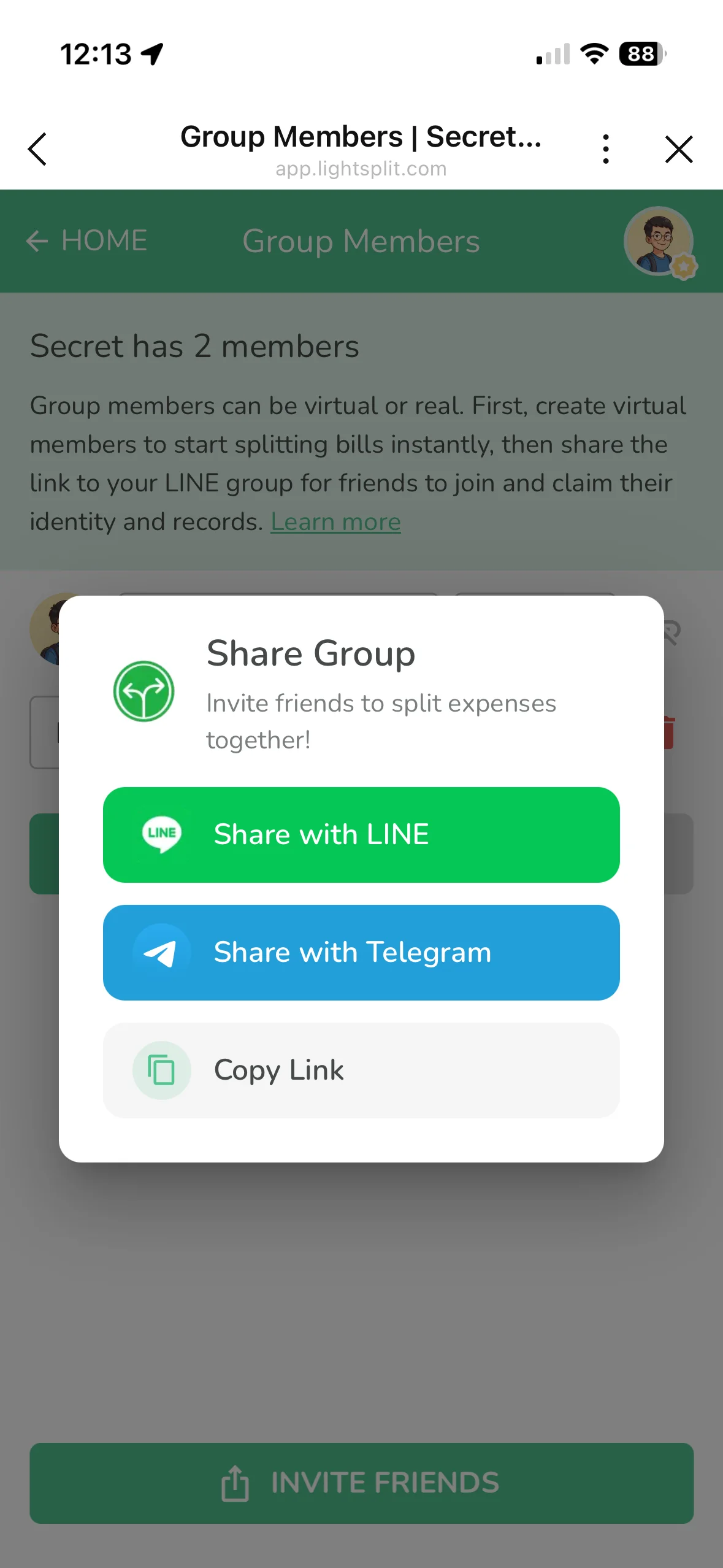
Open your personal group, tap "Invite" in the bottom action bar, then tap "Share Group" (or "Invite Friends") at the bottom. You can share via LINE, Telegram, or copy the link to send to your partner or family.
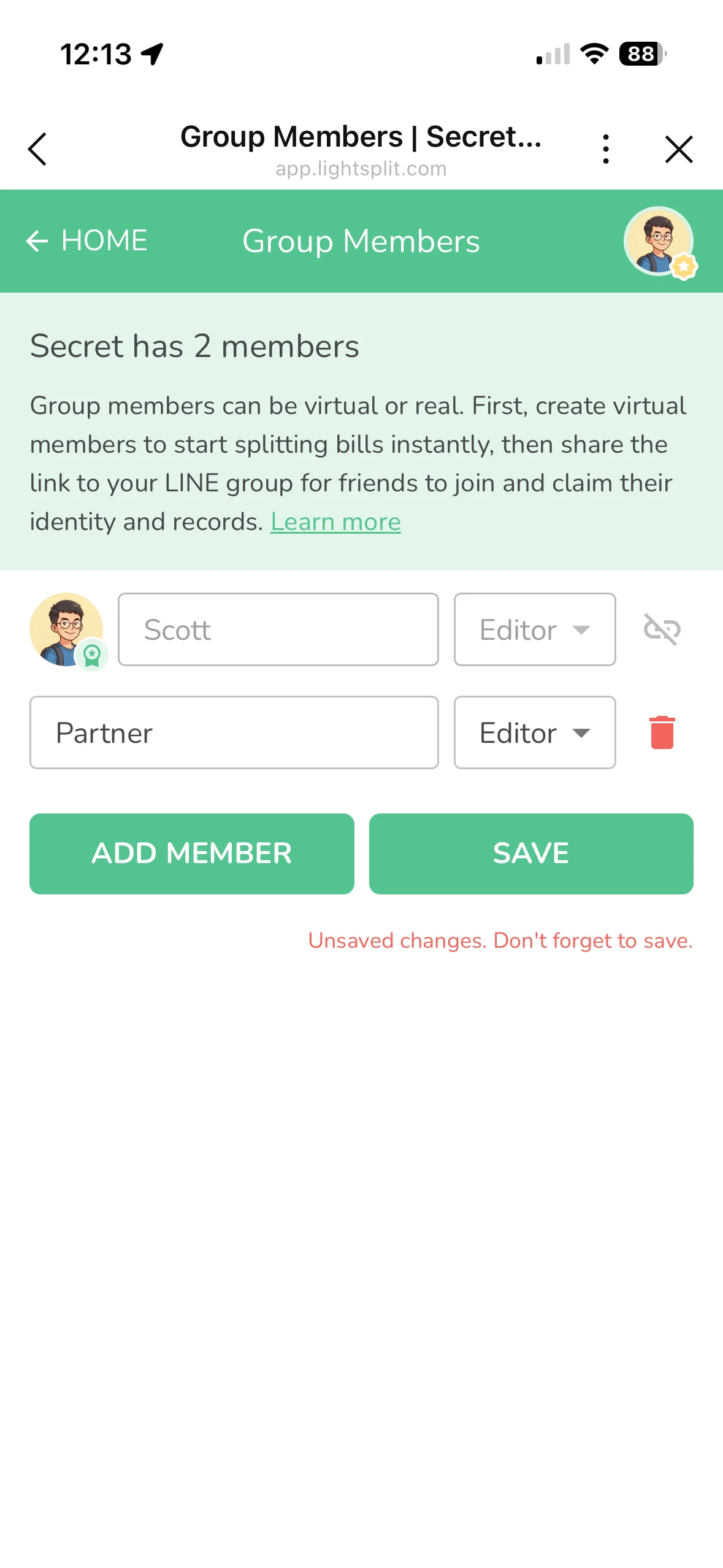
After they join, head to the member list to set each person's permission:
- Editor: they can also add and edit transactions. Good for couple budgeting where both partners log spending
- Viewer: read-only access. Good for showing parents or kids the monthly numbers without letting them edit
Tip: Once you go from solo to multi-person, if most of your spending is still just yours (lunch, coffee, commute, etc.), open your group's "Defaults" and toggle on "Only assign new transactions to myself by default". Then only truly shared expenses (rent, groceries, utilities) need you to manually pick other members. Saves you a ton of tapping.
Solo to couple to whole family, one book, no rebuilding. Six months of records all preserved. That's something most expense apps just can't do.
FAQ
Can anyone else see what's in my personal group?
No. A "Personal" group is only visible to you. Other Lightsplit users can't see it unless you actively invite them in.
What if I want to separate personal and family expenses later?
Just create another group. Lightsplit doesn't cap the number of groups you can have. You can run a "Personal" book, a "Family" book, and a "Trip with friends" book in parallel without anything mixing.
Is personal tracking on Lightsplit free?
Yes. Creating a personal group, logging transactions, viewing statistics, and setting a budget are all free. The LINE, Telegram and Discord bots are available too. Some advanced features need Premium.
What's the edge over other expense tracker apps?
You can log expenses in the chat you already use: @Lightsplit 10 lunch in a solo LINE group, /add 10 lunch in a Telegram DM, or /add expense with the amount and item in your private Discord server's channel.
Plus, the same book scales from personal to family without you changing apps. That's rare in this space.
Give personal tracking a try
If you've been looking for a personal expense tracker simple enough that you won't quit halfway, or you're already using Lightsplit to split with friends, just open Lightsplit and create a "Personal" group to get started.
You can also start in your favorite chat: DM @lightsplit_bot on Telegram, invite @lightsplit to a solo LINE group, or follow the Discord guide to create a one-person book in your private server. Pick the setup that fits your day and log your first expense.