How to Use Telegram Bot to Split Expenses with Friends
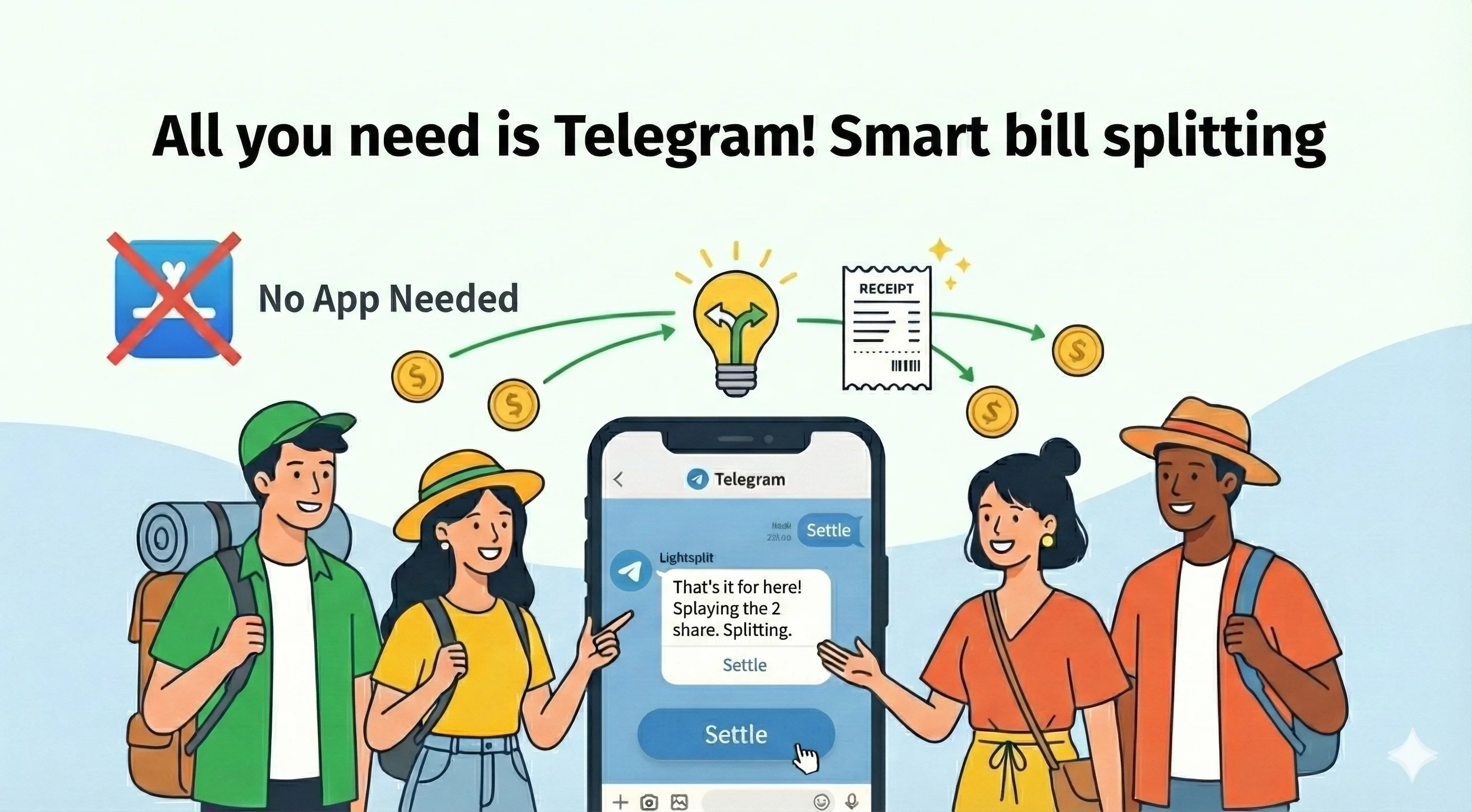
Planning a trip with friends? You've probably opened a Telegram group to chat about flights, hotels, and the itinerary. But the moment someone brings up splitting expenses, everyone silently switches to a different app.
You're already chatting in Telegram. Why can't you just split the bill in Telegram too?
It gets worse during the trip. Trying to figure out who paid for what by scrolling back through chat messages? That's a guaranteed headache, and you'll still get the math wrong.
Meet the Lightsplit Telegram Bot
Just add @lightsplit_bot to your existing Telegram group. This Telegram bot helps you log expenses and see who owes whom, with no new app to download. Need advanced features like custom split methods or expense charts? Tap the button under any bot message to open the Mini App. Everything stays inside Telegram.
What It Does
In one sentence: a little helper inside Telegram that logs expenses and figures out who owes whom.
It supports multiple currencies (JPY, THB, EUR, all the ones you'll run into while traveling), and converts everything into your group's settlement currency automatically. You can also use it in private chat, so it's handy for tracking your own spending too.
Getting Started
Step 1: Add the Bot to Your Group
Open Telegram and search for @lightsplit_bot. Once you're on the bot page:
- To track on your own: just tap the Start button at the bottom to begin a private chat
- To split with a group: open your trip group (or create a new one), tap Add Members at the top, search for Lightsplit, and add it
After adding it to your group, send /start to say hello. The bot will reply with what to do next.
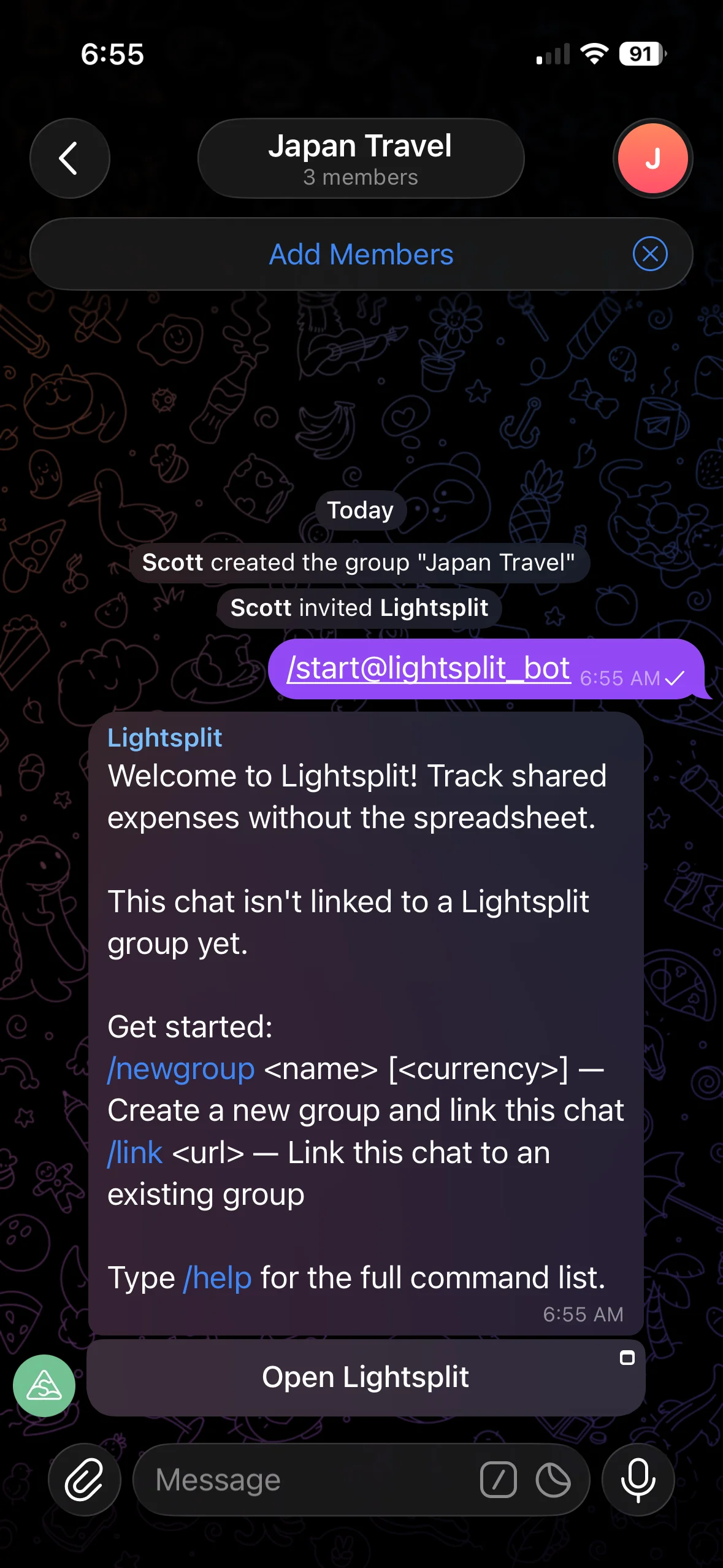
Step 2: Create a Split Group With /newgroup
Type this in the chat:
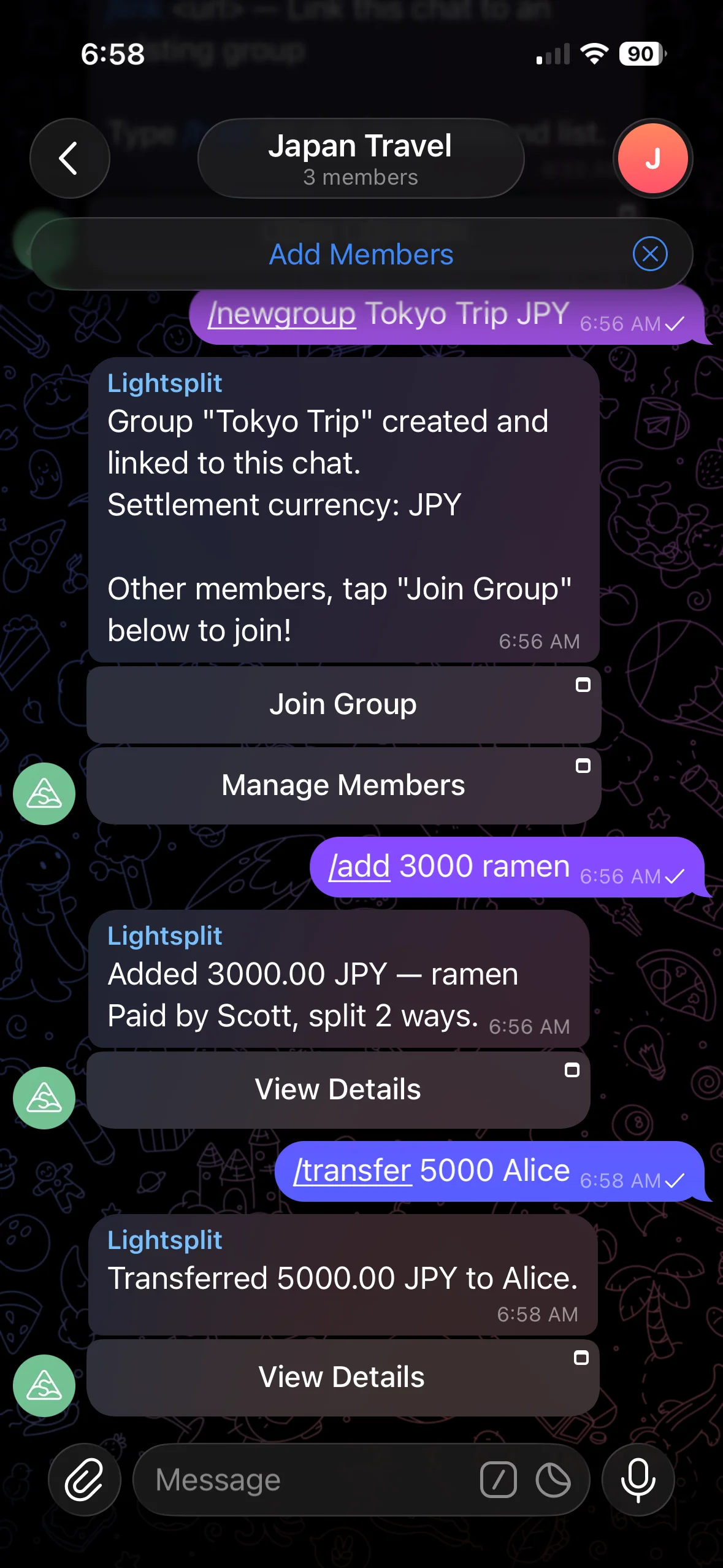
/newgroup Tokyo Trip JPY
The first part is the group name, and the second is the settlement currency. You can skip the currency, and it'll default to USD by default.
The bot does two things for you:
- Creates a matching split group on Lightsplit
- Links this Telegram chat to that split group
It even pulls the existing Telegram group members into the roster as default members, so you don't have to add them one by one.
Already got a Lightsplit group set up? Just type
/link <group url>to connect this Telegram chat to it.
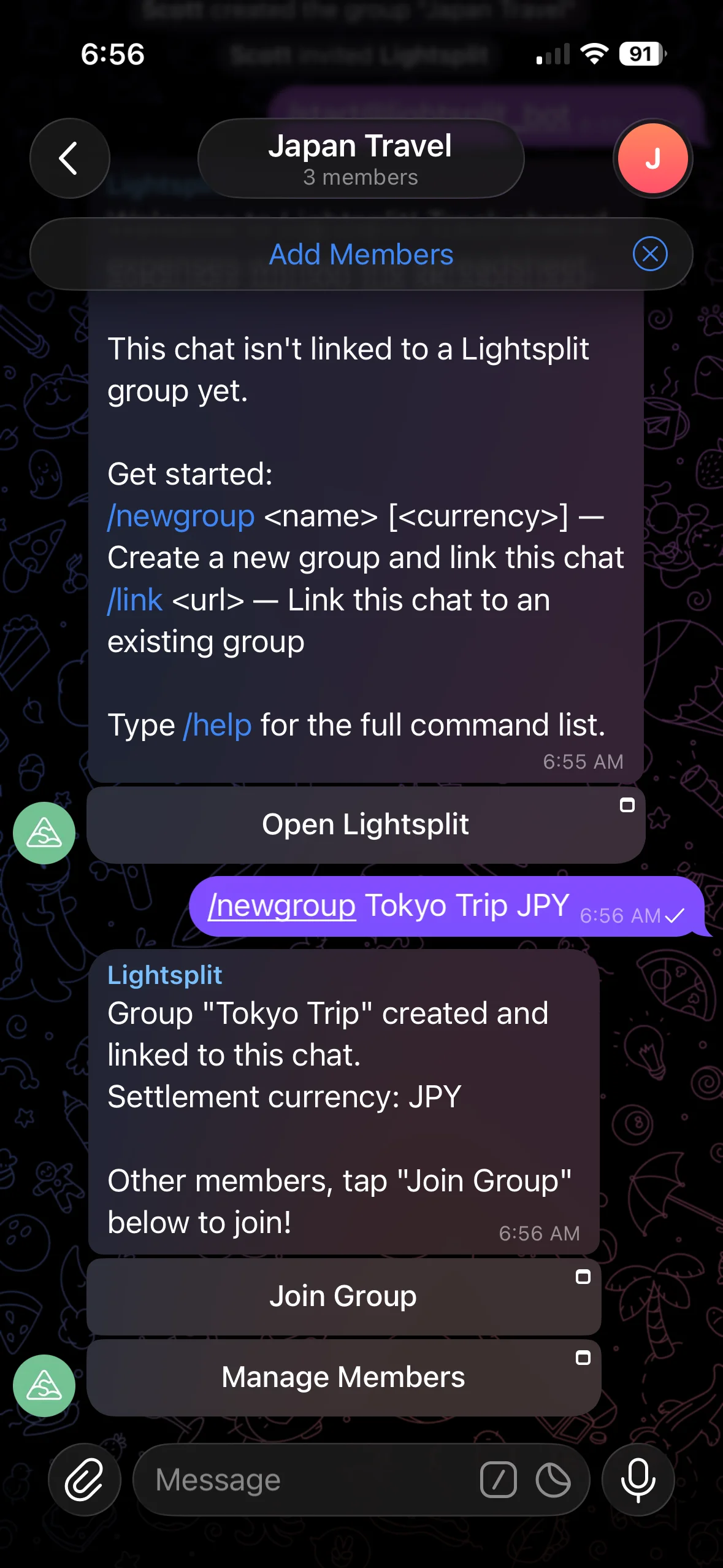
Step 3: Add Expenses With /add
Just had a 3000 JPY bowl of ramen? Type this in the group:
/add 3000 ramen
Or specify the currency:
/add 3000 JPY ramen
The bot splits it equally across all members and adds a "View Details" button under the message. Tap it to open the Mini App and adjust the split (skip people who didn't eat, or split by ratio, whatever you need).
Step 4: Use /transfer for Floats and Paybacks
On a trip, you'll often run into "let me hold a shared float" or "I'll cover you, pay me back later" situations. These are money movements, not expenses, so use /transfer:
/transfer 5000 @bob
Or with a name:
/transfer 5000 JPY Alice
This means "I gave Alice 5000 JPY". It's logged as a transfer, not an expense, so the final settlement comes out right.
Step 5: Check Balances With /balances
Want to know who owes whom, mid-trip or after? Type:
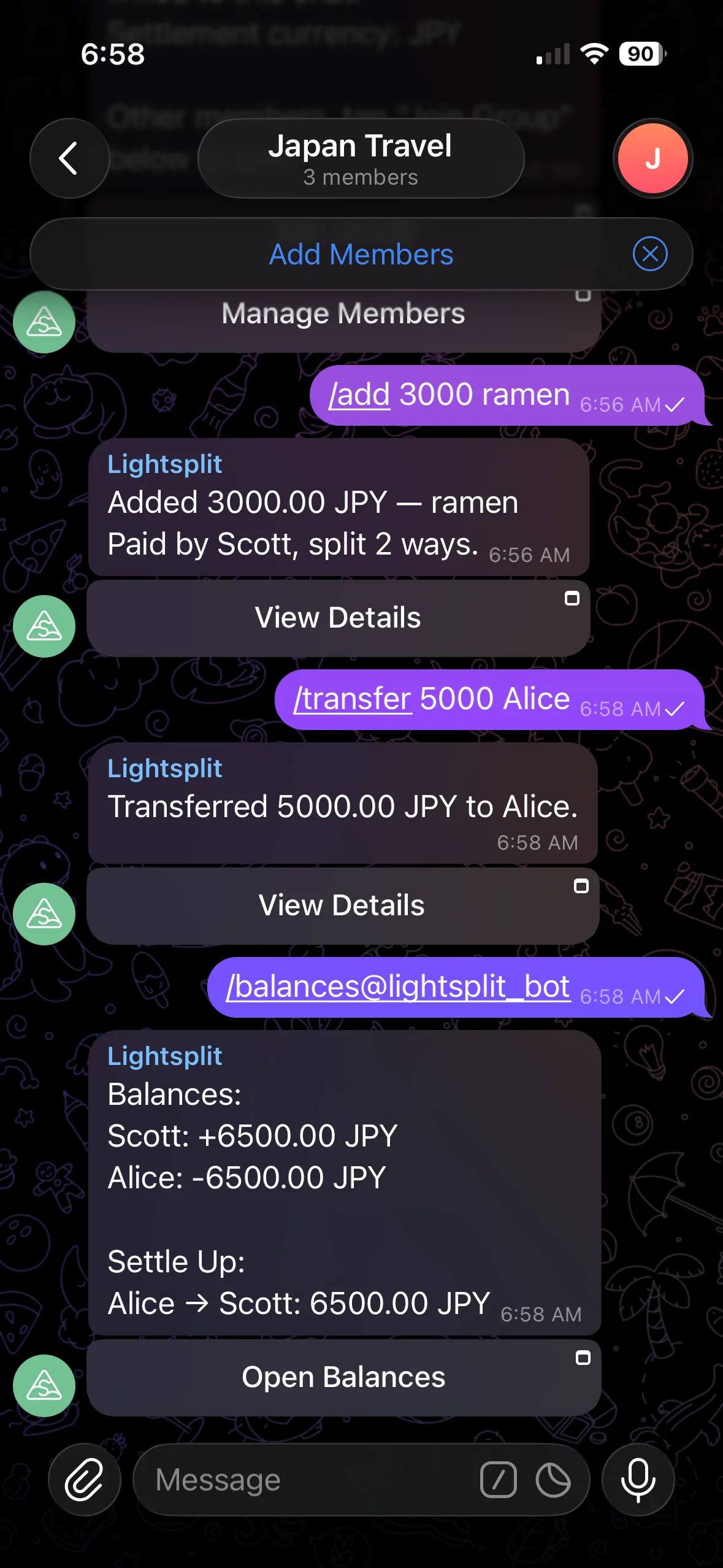
/balances
The bot lists each person's net amount (positive means they're owed money, negative means they owe). Below that, you'll see the simplest possible payback plan. Instead of "A pays B, B pays C, C pays A", Lightsplit collapses everything into the fewest transfers possible.
Step 6: View Spending Stats With /stats
Curious where all the money went on this trip? Type:
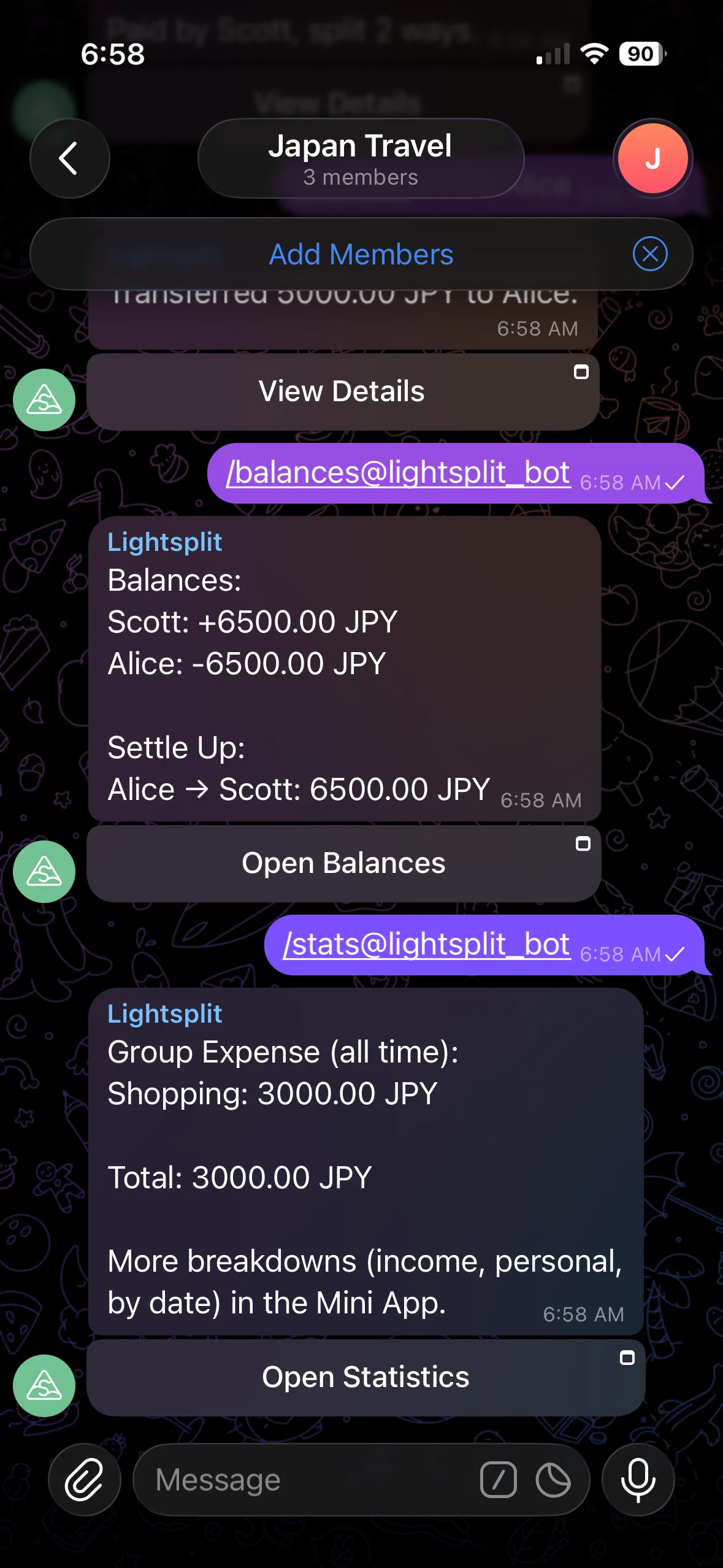
/stats
The bot lists totals by category (food, transport, lodging, and so on). Want full charts and detailed stats? Tap the "Open Statistics" button under the message to jump into the Mini App.
Why Use the Bot?
- No app downloads: anyone with Telegram can use it. No more friends saying "I don't want to install another app"
- Multi-currency with auto conversion: cross-border trips often hit three currencies in one day. The bot handles all of them
- Mini App is always one tap away: complex features (custom splits, AI receipt scanning, edit history) are right there. No need to switch to a browser
Tips & Tricks
- Settlement currency follows the group: the currency you set when creating the group is what
/balancessettles in. All expenses in other currencies are converted automatically - Done with it? Type
/unlinkin the group to detach the chat from the split group. Your Lightsplit data stays put, so you can/linkagain later if you want - Works in private chat too: the bot has the same features in 1-on-1 chats. Great for solo expense tracking or splitting with just one friend
FAQ
Q: Do all group members need a Telegram account?
A: To use commands inside the Telegram group, yes. But if someone doesn't have Telegram, you can still add them as a "member" through the Mini App, and they'll be included in the final settlement.
Q: Does the bot read all messages in the group?
A: No. The bot only handles messages that start with /. It can't see your normal chat at all.
Try It Now
Tired of opening yet another app just to split a trip bill? Just tap @lightsplit_bot and start using the Telegram bot to split expenses. From creating the group to settling who owes whom, it all stays inside Telegram!