How to Split Bills in a LINE Group with Lightsplit Bot
A trip wraps up, dinner is over, and the same question shows up in everyone's head: who paid for what, and who owes whom? Mix in a few currencies from an overseas trip and it gets even messier, right?
Most people switch to Splitwise or Tricount to settle up, but that means dragging everyone into installing yet another app. The easier way to split bills in a LINE group: just put the splitting tool right inside the chat.
How does splitting bills in a LINE group with the Lightsplit bot actually work?
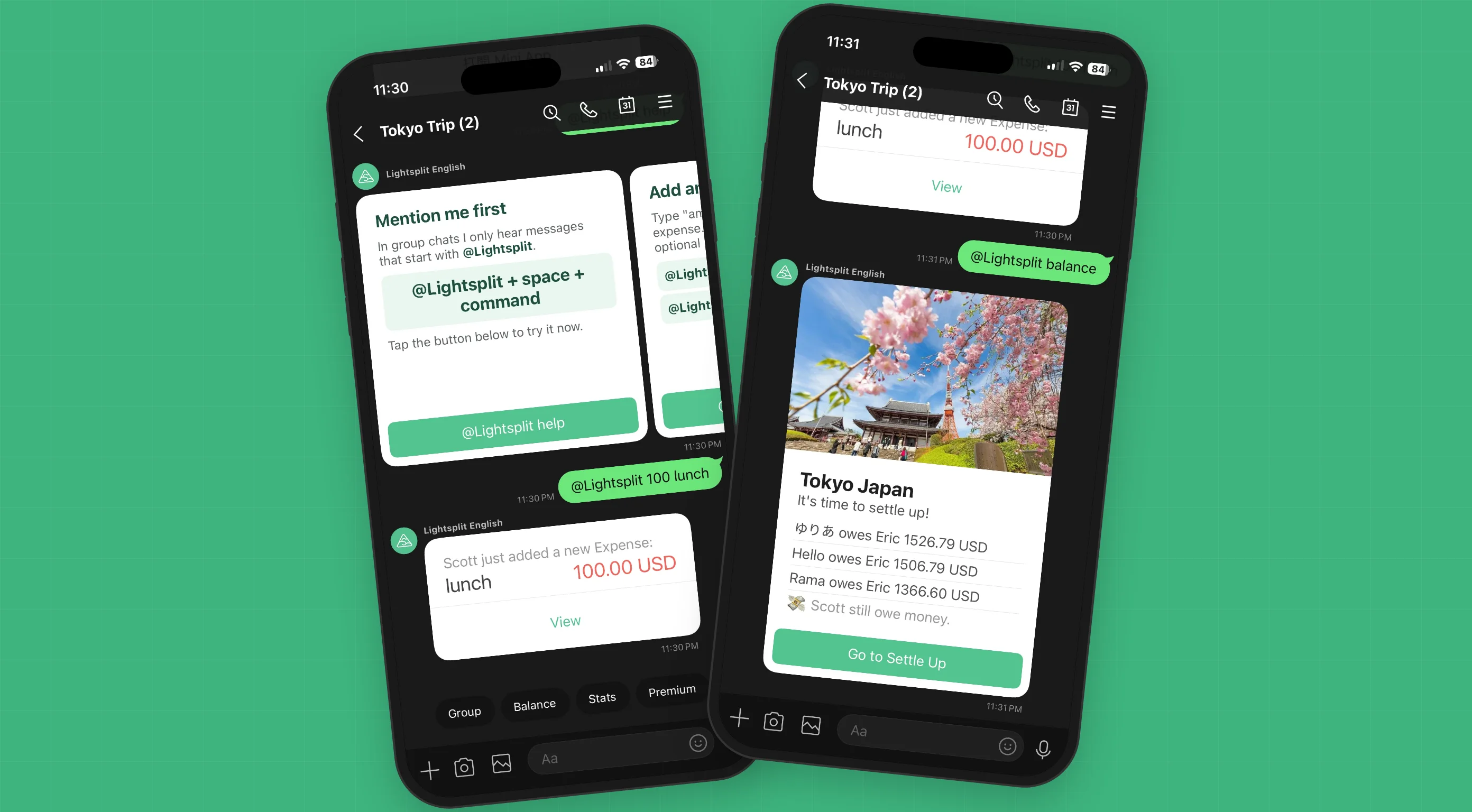
The Lightsplit LINE bot can now join your LINE group directly, sitting in the chat like any other member. To log an expense, see the balance, or check spending by category, just mention @Lightsplit in the group.
- Nobody has to download a separate app
- No tab-switching to settle up
- Balances and stats show up as cards right in the chat for everyone to see
- Multi-currency travel? Auto-converts to your settle-up currency
Three steps to add Lightsplit to your LINE group
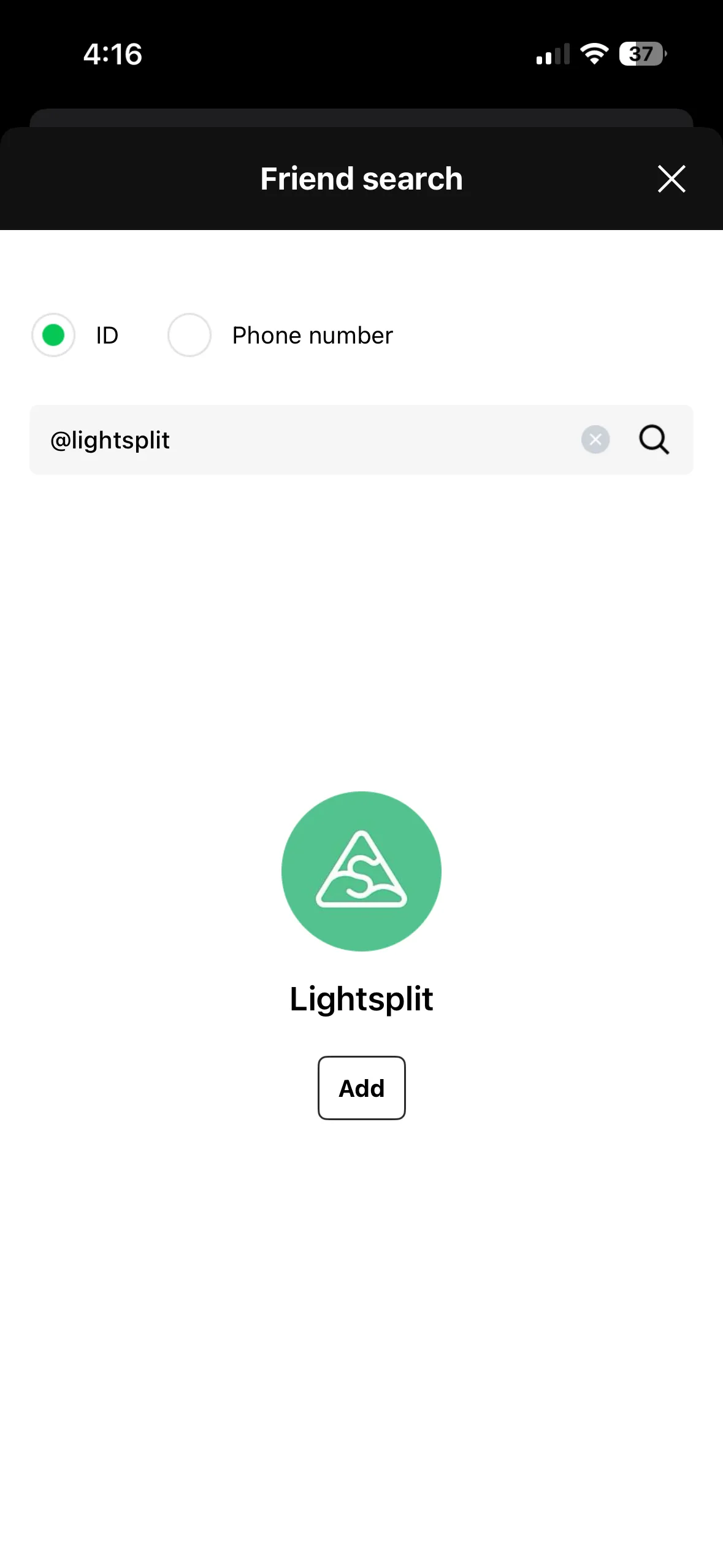
Step 1: Add @lightsplit as a LINE friend
Open LINE, search @lightsplit (yes, with the @), or just tap this link to add it as a friend.
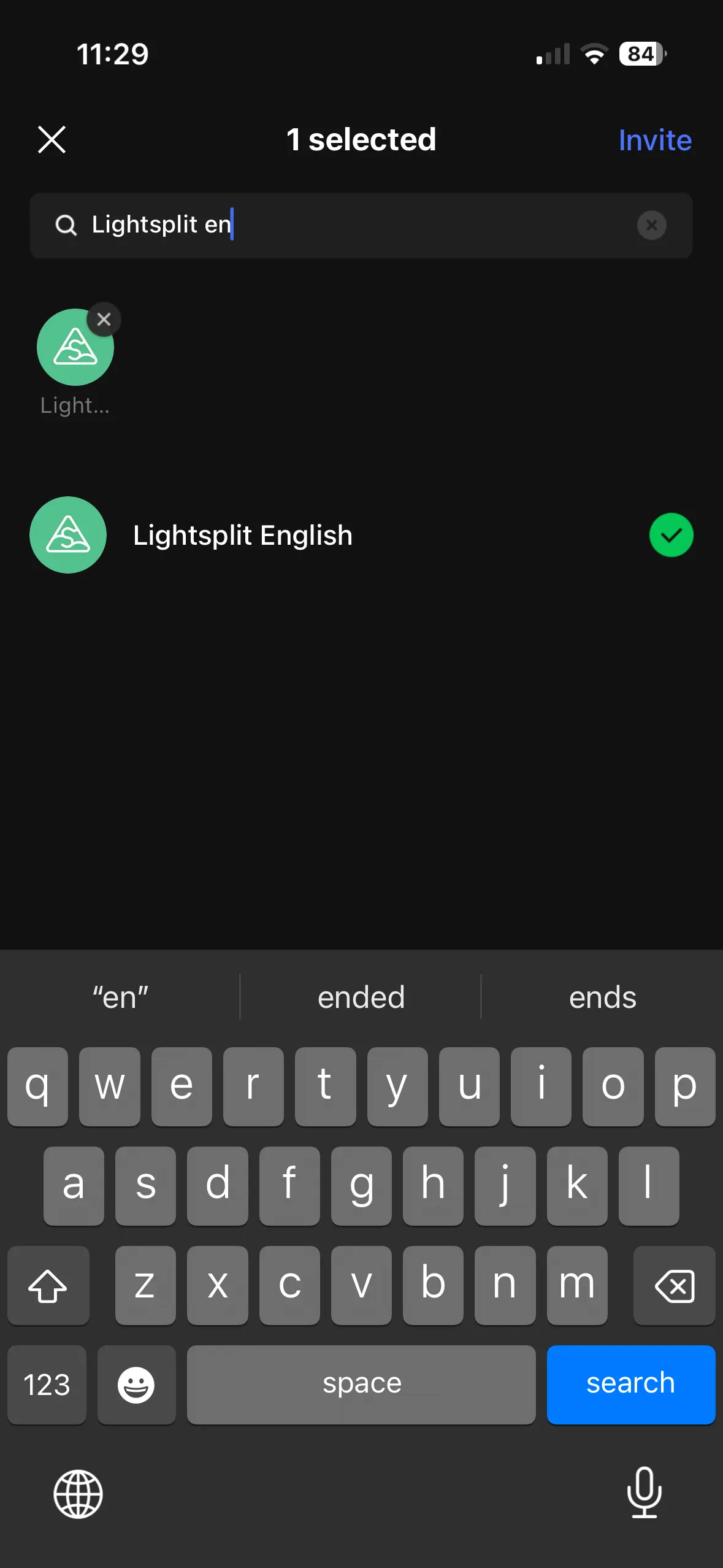
Step 2: Invite Lightsplit into your LINE group
Open the LINE group you want to split bills in (trip group, dinner group, roommate group, any group works), tap "Invite" from the menu, and add Lightsplit.
Don't have a group yet? Make one first, then invite Lightsplit in.
Step 3: Create a new group or link an existing one
Once Lightsplit joins, it sends two cards you can swipe between. The first creates a new splitting group; the second, on the right, links an existing Lightsplit group.
- First time using Lightsplit? Tap "Create Now" on the "Create a Lightsplit group first" card and follow the setup steps. Whoever creates the group becomes its admin, with permission to manage members and set default split values.
- Already have a Lightsplit group? Swipe to the second card, "Link existing Lightsplit group". The admin of that Lightsplit group must tap "Link Now" and select the group to link.
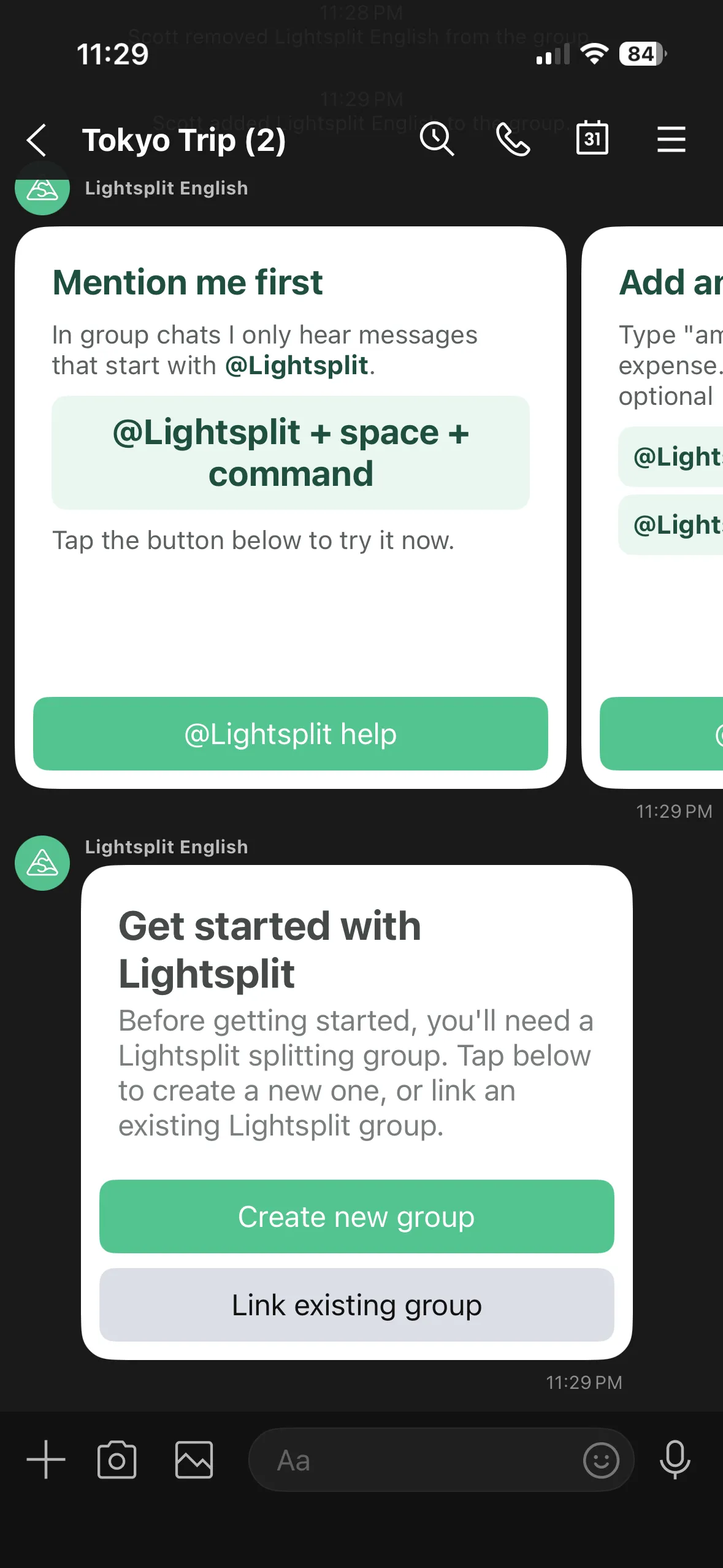
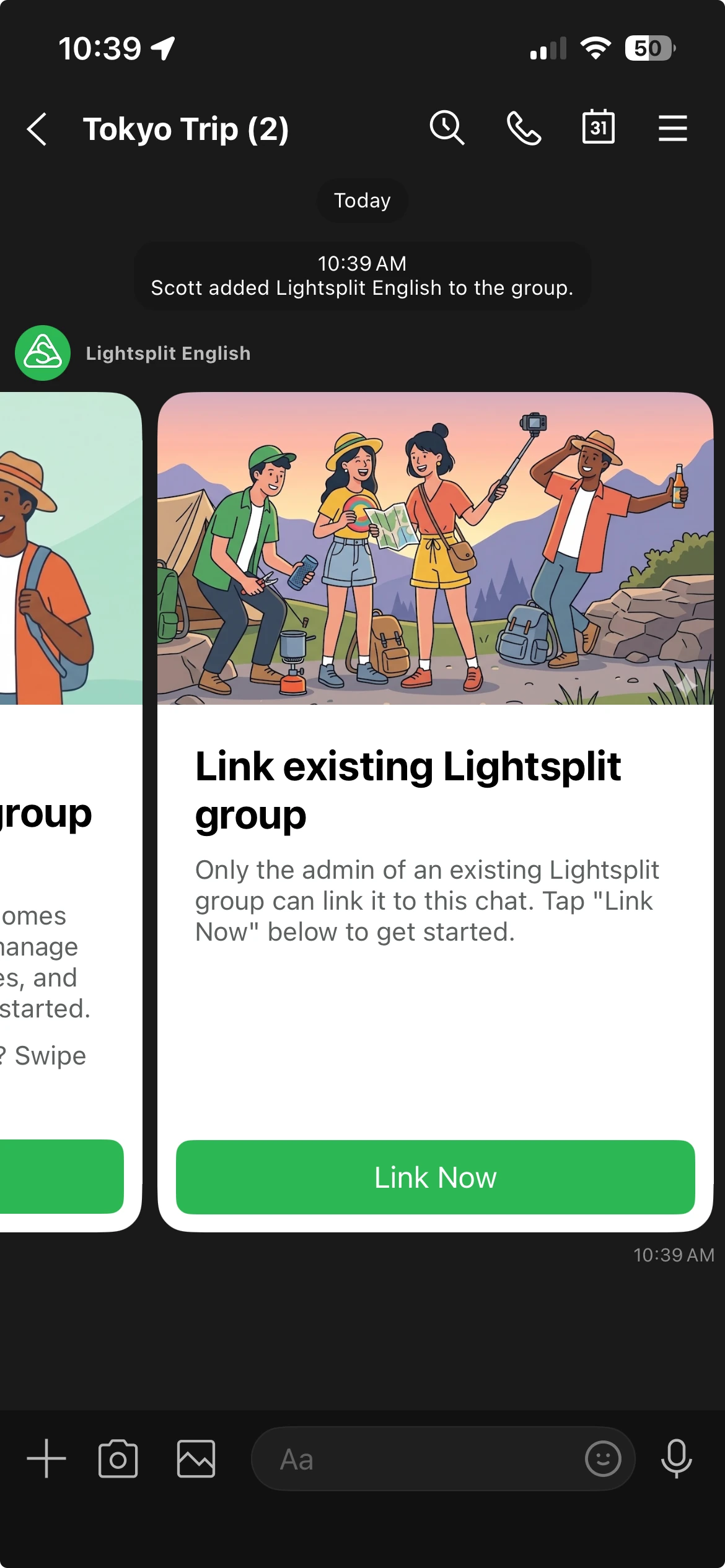
Once linked, every member in the LINE chat sees a "Join Now" card. Tap it to join the splitting group.
What can you do with @Lightsplit in the group?
Inside a group chat, Lightsplit only listens to messages that start with @Lightsplit. Everything else is ignored. These are the commands you'll use most:
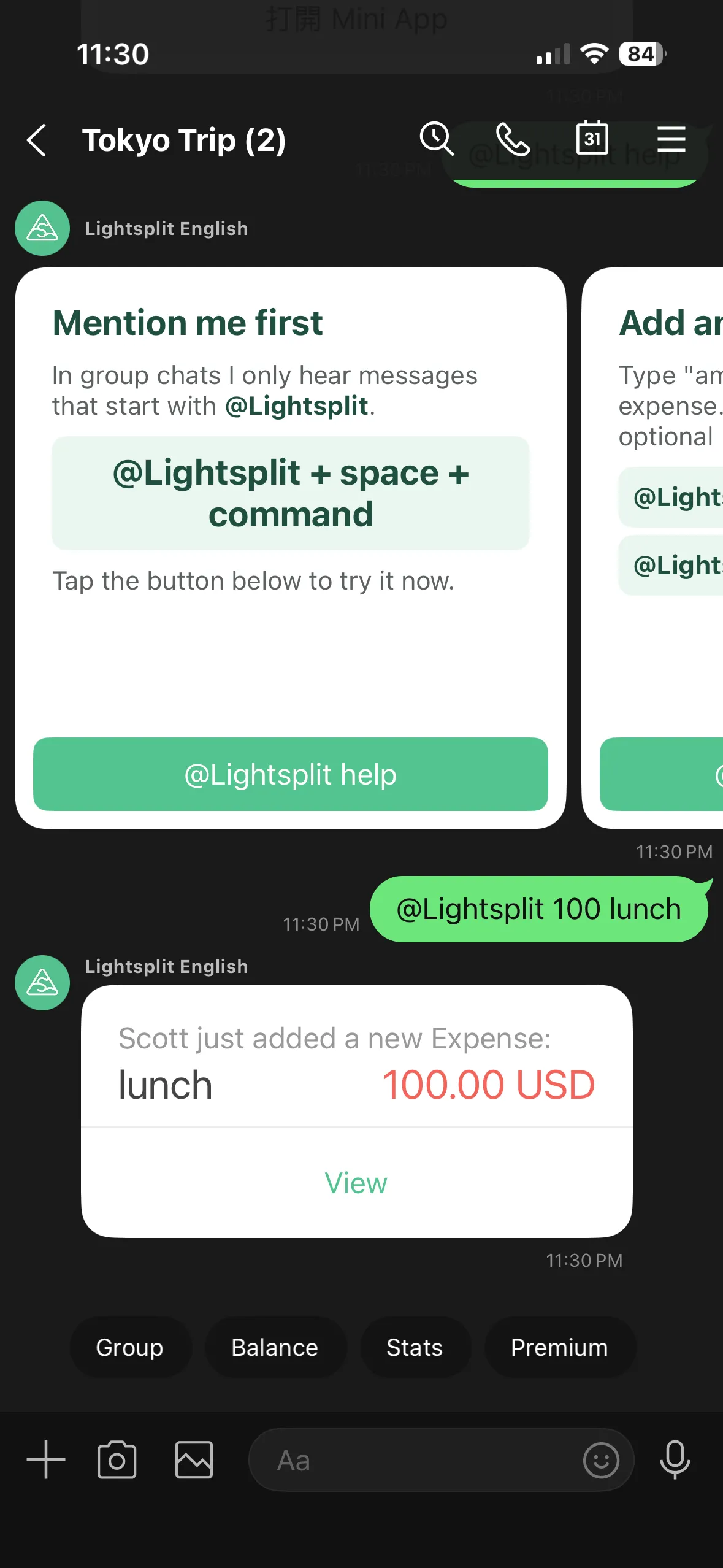
Add an expense: @Lightsplit 100 lunch
The format is simple, amount + description:
@Lightsplit 100 lunch
Want to specify a currency? Drop the code right after the amount:
@Lightsplit 3000 JPY ramen
The bot replies with a confirmation card and a "View" button. Tap it to open the Mini App and change how it's split (who didn't eat, who paid more, etc.).
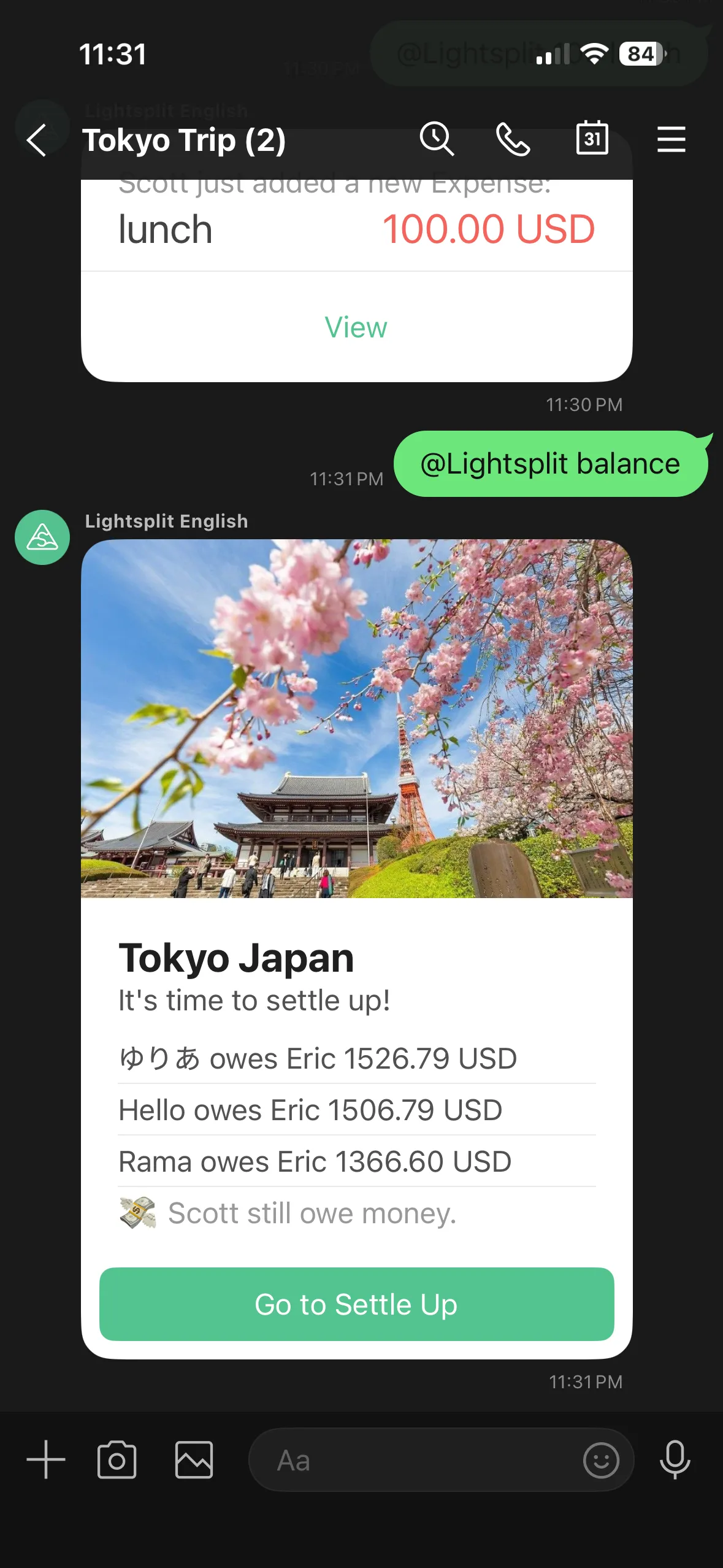
See who owes whom: @Lightsplit balance
Mid-trip or after it wraps:
@Lightsplit balance
The bot drops in a card with the simplest possible "A owes B X dollars" breakdown, plus a "Go to Settle Up" button to open the Mini App.
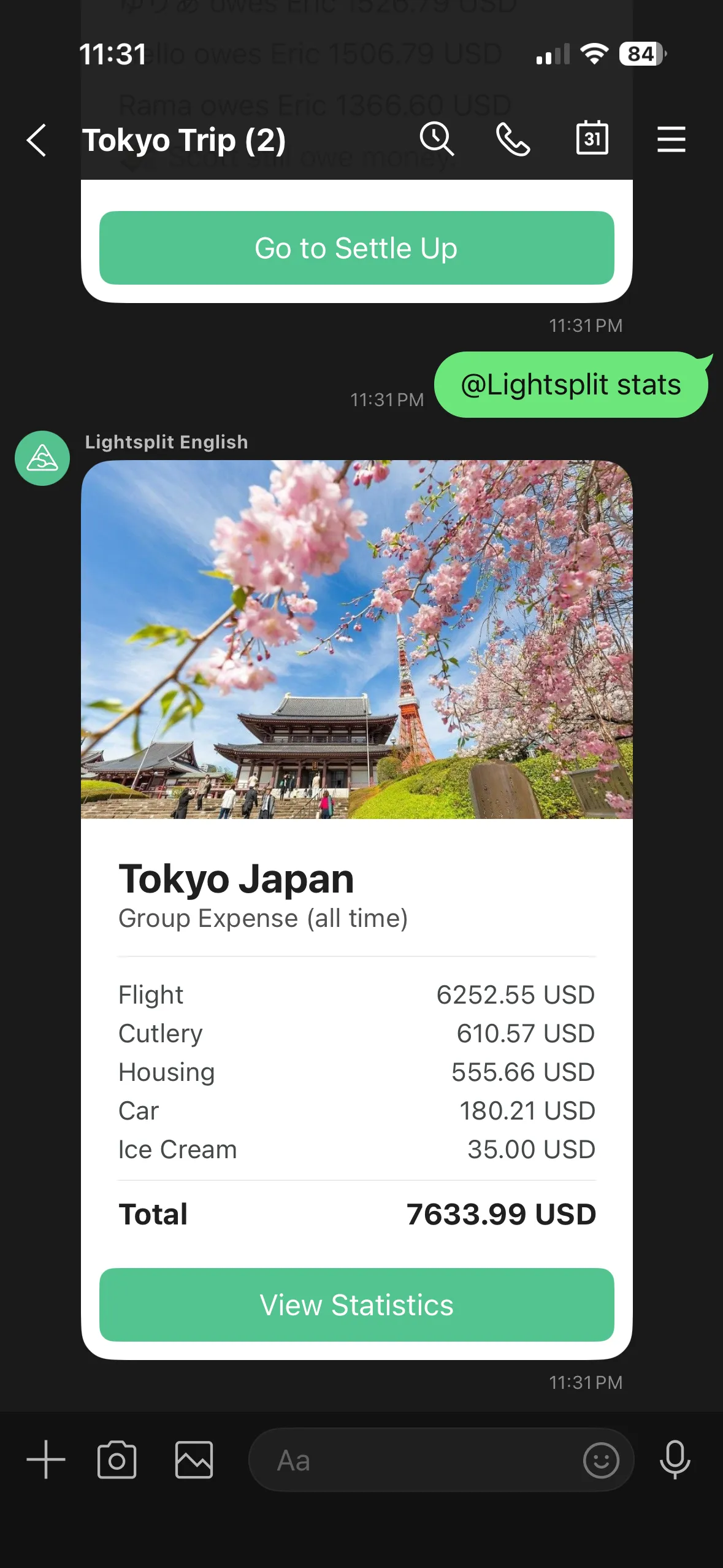
See spending by category: @Lightsplit stats
Curious where the money went?
@Lightsplit stats
The bot pulls up a breakdown by category (food, transport, lodging, etc.) for the whole trip.
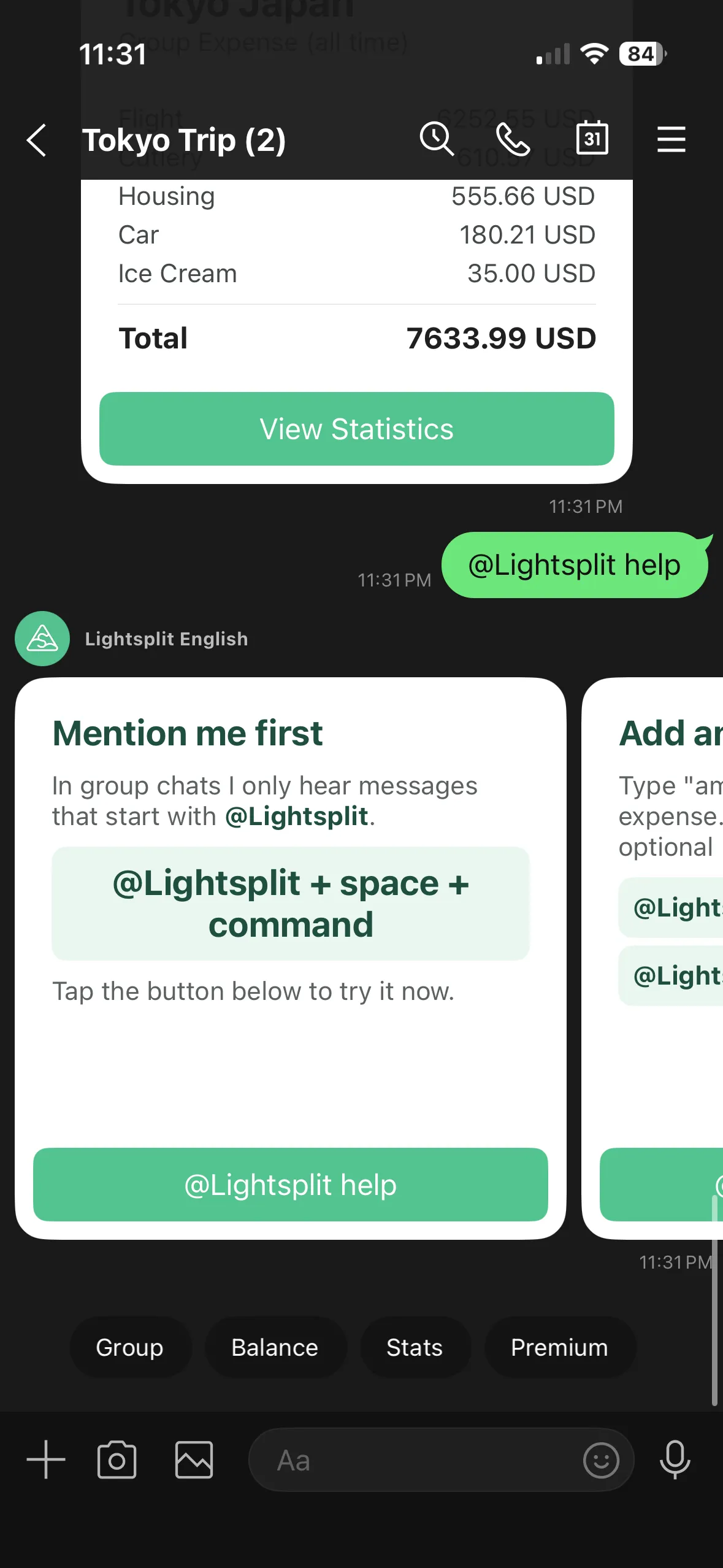
Not sure what to type? @Lightsplit help
@Lightsplit help
The bot sends 5 help cards walking you through everything from "Mention me first" to "Get Lightsplit Premium". Each card has a one-tap button to try the command.
Why is splitting bills inside the LINE group so much smoother?
Adding Lightsplit to the LINE group has a few clear wins over the alternatives:
- No app downloads for anyone: The classic friction ("ugh, another app to install") just disappears
- No more sharing invite links one by one: The bot is in the chat, every member already sees the cards
- Everyone sees the splitting state: When someone logs an expense or checks the balance, the whole group sees it. Nobody can claim "I missed that"
- Auto currency conversion: Overseas trips with three currencies a day? Just type the amount, the bot converts to your settle-up currency
- Mini App for the deep stuff: Tap a card button to edit splits, add receipts, tweak members. Full features one tap away
Pro tips
Link your existing Lightsplit splitting group
Already have a Lightsplit group and don't want to start over? After inviting Lightsplit in, have that group's admin swipe to the second card, tap "Link Now", and choose the existing group. Records stay intact, splitting picks up right where you left off.
Usually chat on Discord? See the Discord bot guide to add Lightsplit to your server and create a group in a channel.
Want to unlink? Just kick @lightsplit from the group
Done using it? Remove Lightsplit from the LINE group, and the link automatically disconnects. Your data in Lightsplit stays put. Invite it back later and re-link anytime.
Tap card buttons to open the Mini App for full features
Every card has a button like "Open in Lightsplit" at the bottom. Tap it to open the Mini App inside LINE. Full editing, settings, and AI receipt scanning all live there.
Add Lightsplit to your LINE group
Next trip, dinner, or shared apartment bill? Skip the new app, skip the invite links. Add Lightsplit to your LINE group, mention @Lightsplit, and split bills right where you already chat.
Want to see everything else Lightsplit can do? Check out lightsplit.com.