Splitwise vs Lightsplit: Which Is Better for Group Trips?

Four friends, five days in Japan. On night three, they wrap up dinner at an izakaya. Kai, who's been keeping track of expenses, opens Splitwise to add the bill. But a pop-up stops him: he's hit the free plan's daily limit.
Coffee, ramen, subway, drugstore, izakaya. Four a day isn't nearly enough. Ask someone else to add it? Two of them haven't even downloaded the app. The third started signing up and gave up halfway.
Sound familiar? If you're looking for a Splitwise alternative, here's the good news: you don't need yet another app to split costs. Lightsplit joins your Telegram group, and you log an expense by typing one line in the chat!
So let's take that same Japan trip and put Splitwise and Lightsplit side by side. Which one works better for your crew?
What Are Splitwise and Lightsplit?
Splitwise is a well-known expense splitting app that's been around for years. Everyone downloads it, signs up and adds expenses to the same group. The app works out who owes whom.
Lightsplit is an expense splitting bot you can add to your LINE, Telegram or Discord group. Type /add 3000 ramen in your Telegram group and it's logged. There's also a web app and an iOS app.
Both split costs, and both show who owes whom. The difference? How smooth they feel when you actually use them.
Splitwise vs Lightsplit at a Glance
Shopping around for a Splitwise alternative? This table is the quickest way to compare:
| Splitwise | Lightsplit | |
|---|---|---|
| Expenses per day | Up to 4 on free plan | No daily limitWin |
| Log expenses in a Telegram group | No | YesWin |
| Friends must download and sign up | Yes | NoWin |
| Convert to one currency | Pro only | Yes, auto exchange ratesWin |
| Receipt scanning | Pro only | Yes, AI scan and translateWin |
| Multiple currencies | Yes | Yes |
| Uneven splits | Yes | Yes |
| Simplify debts | Yes | Yes |
Splitwise data as of October 2026.
Let's go through them one by one.
Splitwise's Free Plan: 4 Expenses a Day
Since late 2023, Splitwise's free plan has had a daily limit. According to its official help center, free users can add up to 4 new expenses per day.
That's fine for the odd dinner out. On a trip, you'll hit it fast. Breakfast, subway, tickets, lunch, drugstore, dinner. You're way past 4 before the day's over. Once you hit the limit, Splitwise's official fixes are to wait until tomorrow, have a friend add it, or subscribe to Pro.
So everyone snaps photos of receipts and plans to add them later. By the time you get home, there's always one or two where nobody can remember who paid, right?
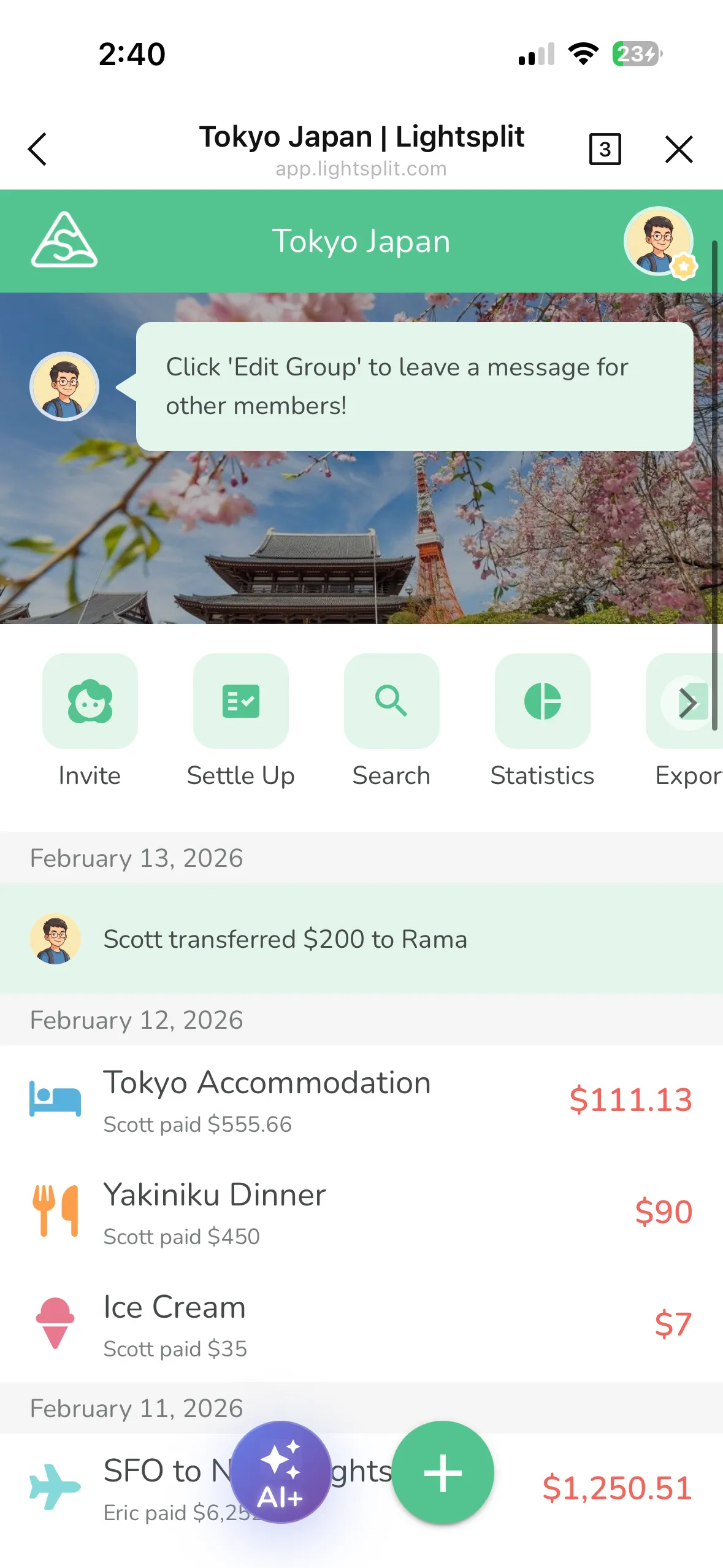
Lightsplit has no daily limit on expenses. Log them whenever you want. No waiting till tomorrow.
No Downloads: Split Right in Telegram
With Splitwise, you first invite friends by email or phone number. If they want to see the balance or add an expense themselves, they have to download the app or sign up on the website.
Just getting everyone to install it is enough to lose half the group.
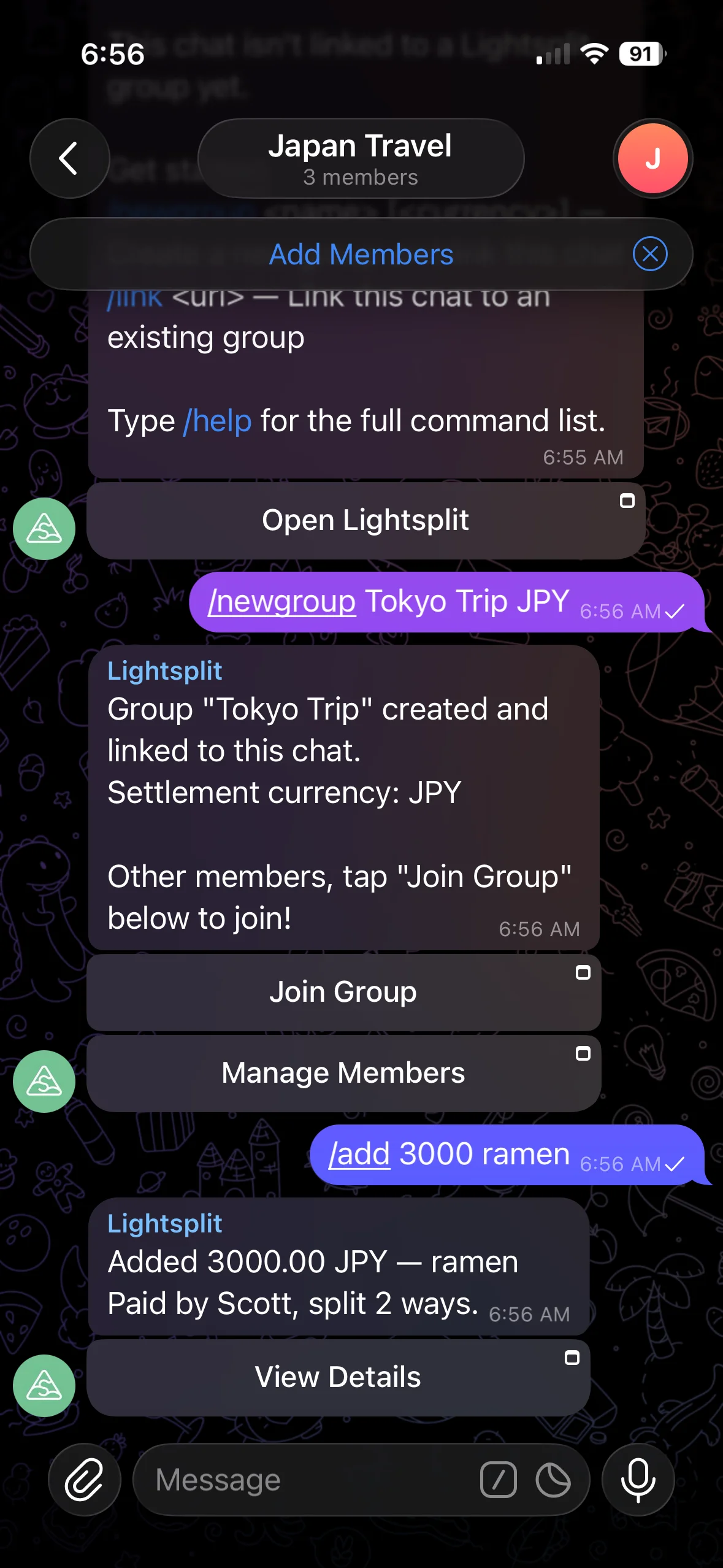
Lightsplit lives right in your Telegram group. Add @lightsplit_bot to your trip group. Whoever pays just types one line:
/add 3000 ramen
The bot replies right away to confirm the expense. Want to know who owes whom? Type /balances and the whole group can see it. You're all chatting there anyway, so you log expenses and check balances in the same place. No extra app to download.
Got a friend who isn't on Telegram? Add them by name as a virtual member first. They can join later when they want to see the balance.
Want the full setup? Check out the Telegram expense splitting bot guide. Does your group mostly use LINE or Discord? There's a LINE bot and a Discord bot too.
Splitting Costs Abroad: Currencies and Receipts
Spend in Yen, Settle Up in Dollars
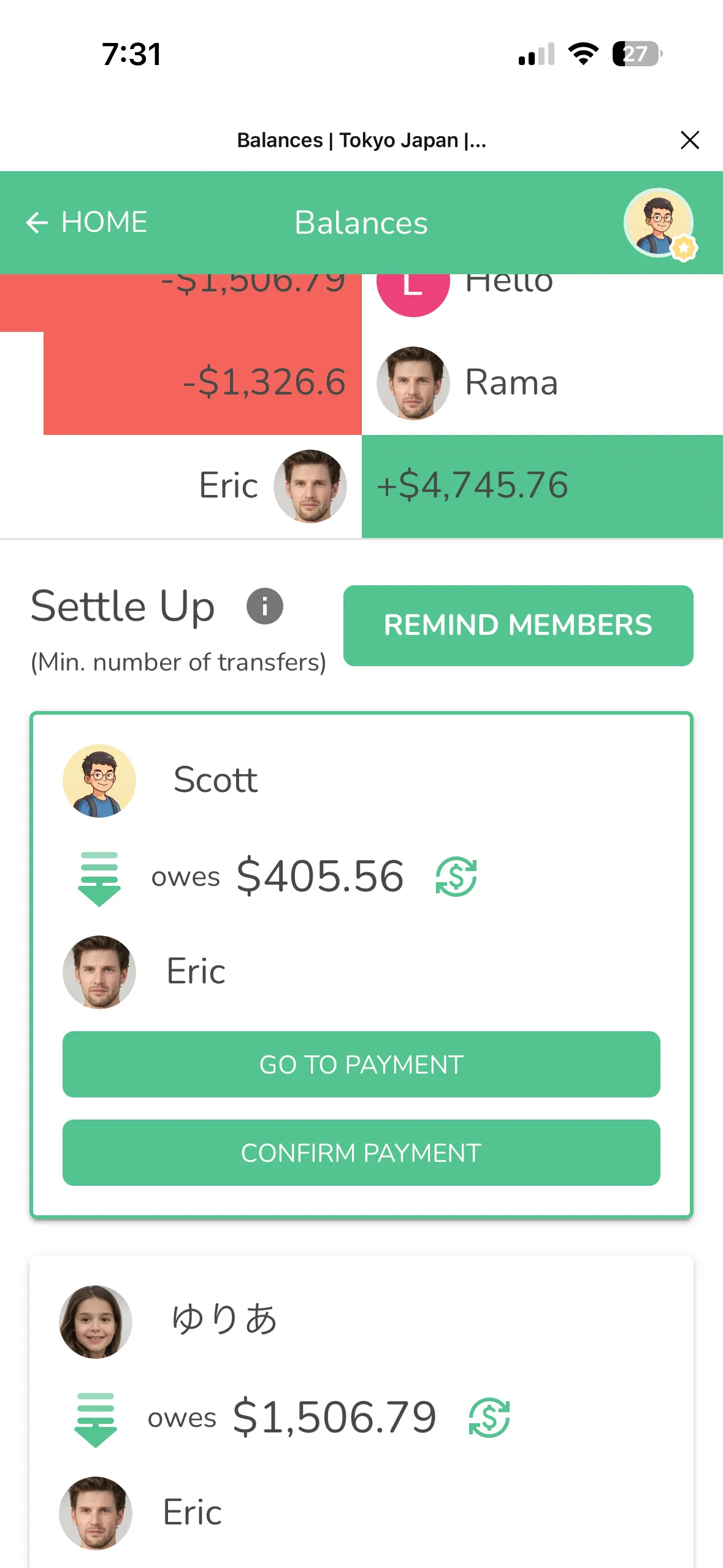
Splitwise's free plan lets you log different currencies, but the balances stay separate. One pile in yen, another in dollars. To convert everything into one currency, you need Pro.
With Lightsplit, you just log yen as yen. In Telegram, add the currency code to the command, like /add 3000 JPY ramen. It fetches exchange rates automatically and converts everything to your group's settlement currency, like US dollars. Want to match the rate on your card statement? You can change it manually too. See how it works in our Japan trip yen splitting guide.
AI Receipt Scanning, Even in Japanese
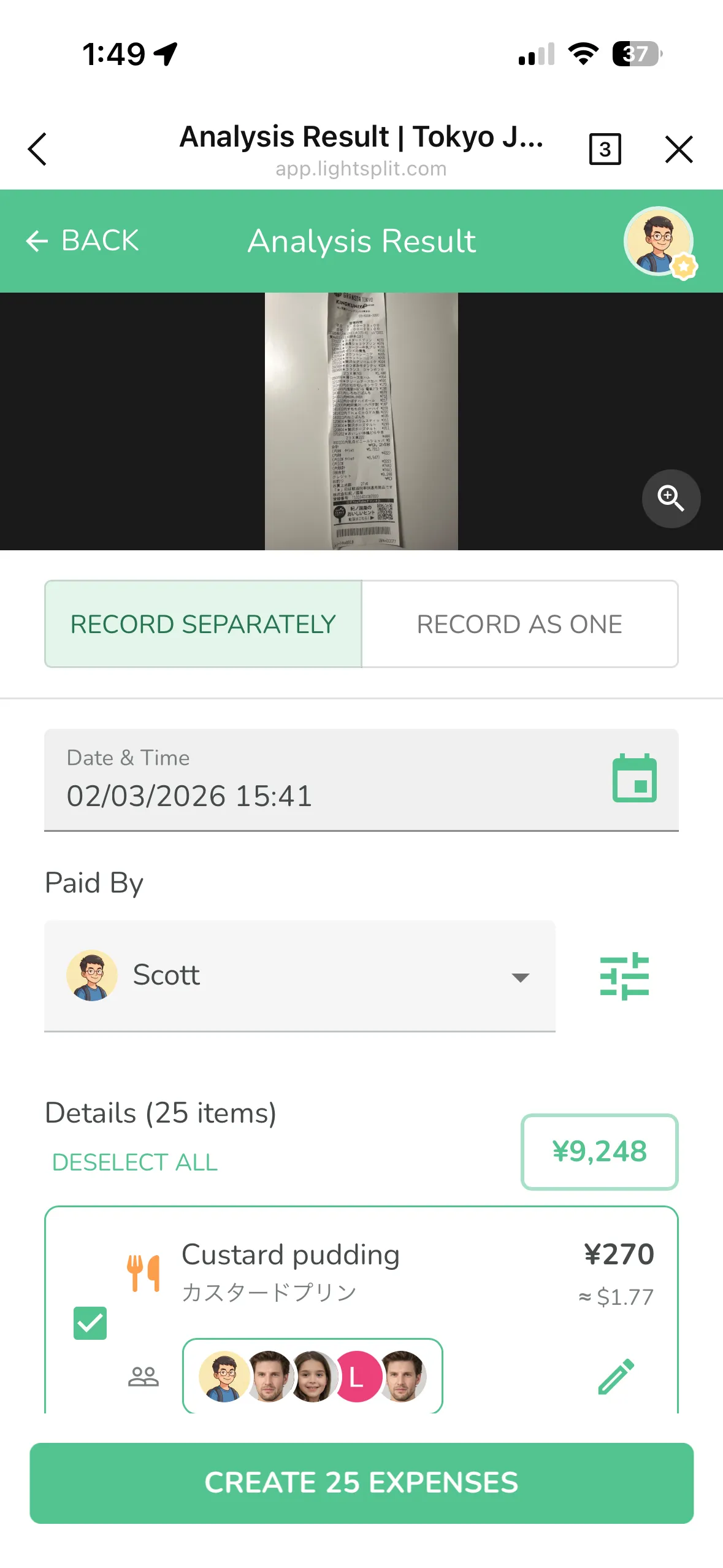
A single drugstore receipt can list over a dozen items, all in Japanese. On Splitwise, receipt scanning is a Pro feature.
On Lightsplit, just snap a photo. AI picks out every item, translates it into English and converts it to dollars. All that's left is choosing who shares what. See it in action in our AI receipt scanning guide.
When Splitwise Still Makes Sense
Splitwise has been around a long time, so sticking with it is totally fine in some cases:
- Your friends already have Splitwise and are used to it
- You've got tons of old expenses in Splitwise and don't want to switch halfway
- Friends from other countries on the trip already use Splitwise
But if your group already chats in Telegram, your trips often mix currencies, and you're tired of hitting a daily limit, Lightsplit will feel way smoother.
Tips for Switching From Splitwise
Settle Up First, Then Start Fresh
No need to move your old data over. Settle your old balances on Splitwise first. Then start a new group on Lightsplit for your next trip. Starting from zero is the cleanest way to go.
Add the Web App to Your Home Screen
Don't want to dig through Telegram for the link every time? Add the Lightsplit web app to your home screen and just tap the icon to open it. Super convenient! Here's how to add Lightsplit to your home screen.
Set Your Payment Methods
Set up your payment methods in Lightsplit. When friends settle up, they'll know exactly where to send the money. No more sending your account details again and again.
FAQ
Is Splitwise free?
There's a free plan, but it caps you at 4 expenses a day. Converting everything to one currency, receipt scanning, charts and search all need Pro.
How many expenses can I add per day on Splitwise?
According to Splitwise's official help center, up to 4 a day on the free plan. Go over that and you'll have to wait until the next day or have a friend add it. Subscribing to Pro removes the limit.
Does Splitwise work inside Telegram or Discord?
No. Splitwise doesn't have a Telegram or Discord bot. Everyone has to use its app or website.
Is Lightsplit free?
The free plan lets you log expenses and auto-convert currencies, with no daily limit on expenses. AI receipt scanning is free too, up to a certain number of scans. Need more? You can upgrade to Premium.
What if a friend doesn't use Telegram?
Add them by name as a virtual member first. When they want to see the balance later, they can join through the web app. Lightsplit also has LINE and Discord bots if those work better for your group.
Try It on Your Next Trip
When you're looking for a Splitwise alternative, the last thing you want is another app everyone has to download. Lightsplit just joins your Telegram group. Type one line and the expense is logged. Currency conversion and balances all happen right in the chat.
Add @lightsplit_bot to your group and give it a try on your next trip! Prefer LINE? Add @lightsplit as a friend. Want to see more features? Check out lightsplit.com.